Mbsm.tn, How to Choose the Right Compressor for Your Refrigeration Needs
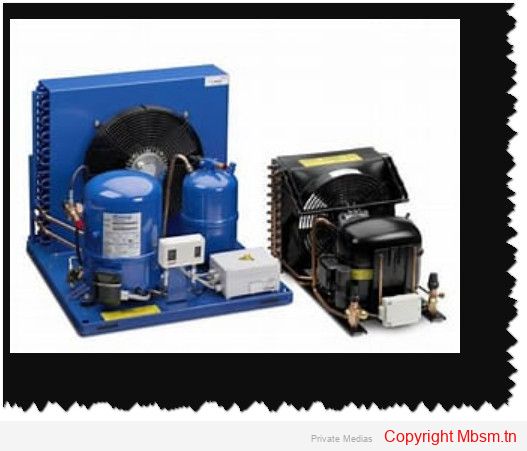
Selecting the appropriate compressor for your refrigeration system is essential for maximizing efficiency, performance, and longevity. This guide outlines the key factors to consider, enabling you to make an informed choice tailored to your specific requirements.

1. Assess Your Refrigeration Requirements

Load Requirements: Start by determining the cooling load necessary for your application. Calculate the required capacity based on the size of the space and the type of products stored. For instance, perishable items like meat require lower temperatures than fruits and vegetables.Temperature Range: Identify the specific temperature range needed for your products. Different items have varying sensitivities to temperature changes, so select a compressor that can maintain consistent conditions.

2. Calculate Compressor Capacity

Capacity Measurement: Compressor capacity is measured in BTUs (British Thermal Units) or horsepower (HP). To determine the required capacity, consider:

  • Space Volume: Measure the length, width, and height of the area to find its cubic footage.
  • Insulation Quality: Better insulation reduces the load on the compressor, potentially allowing for a smaller unit.

Compressor Types: Understand the different types of compressors available:

  • Single-stage Compressors: Suitable for applications that consistently operate at full load.
  • Multi-stage Compressors: Ideal for heavy-duty tasks requiring higher efficiency and better compression ratios.

3. Evaluate Efficiency and Performance

Energy Efficiency Ratings: Look for compressors with high energy efficiency ratings. A more efficient motor helps reduce operating costs and energy consumption over time.Starting Torque Requirements: Consider starting torque needs based on your system design. Compressors with low starting torque (LST) work well with capillary tubes, while those needing high starting torque (HST) are better suited for systems with non-equalized pressures.

4. Consider Environmental Impact

With growing environmental regulations, opt for compressors compatible with eco-friendly refrigerants such as R290 or R600A. These refrigerants not only minimize environmental impact but also enhance overall energy efficiency.

5. Review Manufacturer Specifications

Consult manufacturer specifications and selection tools to ensure you choose a compressor that aligns with your needs. Many manufacturers provide charts and software to assist in selecting compressors based on refrigerant type, suction line temperature, and condensing temperature.

6. Seek Professional Advice

If you’re uncertain about your selection or need help sizing a compressor, consult refrigeration professionals or engineers who can provide expert guidance based on their experience.

Conclusion

Choosing the right compressor is critical for optimizing your refrigeration system’s performance and efficiency. By carefully assessing your requirements, calculating capacity, evaluating energy efficiency, considering environmental impact, and consulting professionals when needed, you can select a compressor that meets your operational demands while contributing to sustainability. This revised guide emphasizes clarity and effectiveness while maintaining essential information for readers seeking to optimize their refrigeration systems.
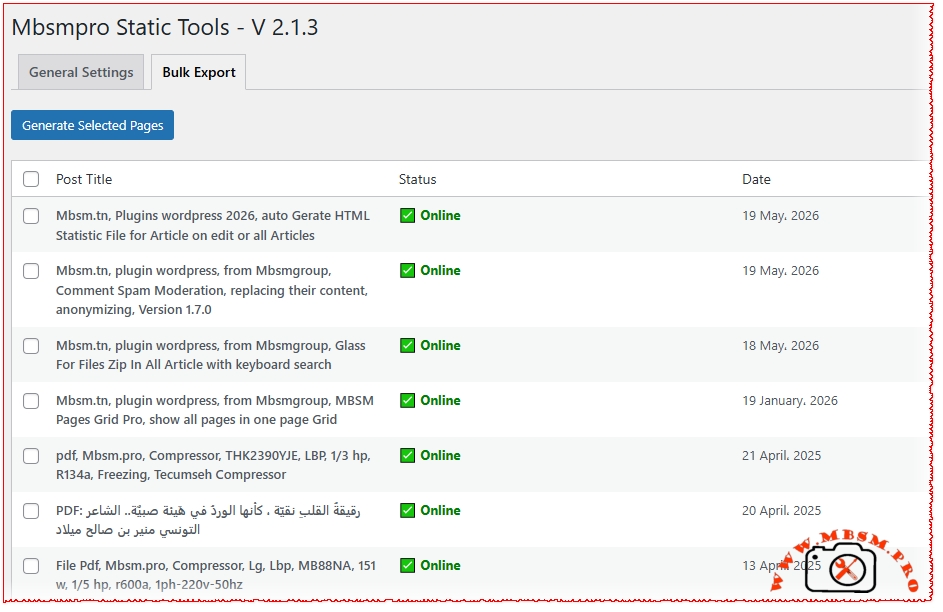
Mbsm.tn, Plugins wordpress 2026, auto Gerate HTML Statistic File for Article on edit or all Articles

Mbsm.tn, Plugins wordpress 2026, auto Gerate HTML Statistic File for Article on edit or all Articles mbsmpro

The Future of Digital Archiving: Why We Built the MBSM Static HTML Protocol

In an era of bloated websites, heavy JavaScript, and slow-loading databases, the internet has lost something essential: Simplicity.

When you spend hours writing a high-quality technical guide or a deep-dive article, you aren’t just creating a database entry. You are building a resource. But what happens when your reader is on a slow connection? Or when they need your content in a place with no Wi-Fi? Or when a server goes down?

This is why we developed MBSM Static HTML Export v2.1.3. We wanted to bridge the gap between a “Living WordPress Site” and the “Permanence of a Document.”

Beyond Just a Backup

Most people see “Static Export” as a backup tool. We see it as a User Experience tool. When our plugin generates a .htm version of your post, it’s doing more than just copying text. It’s creating a self-contained ecosystem.

  • Offline Freedom: By using the “Download as PDF” and the specialized print optimization we’ve built-in, readers can take your expertise with them. Whether it’s a lab environment, an airplane, or a remote job site, your information is there.
  • The Power of Accessibility: We’ve integrated the Google Translate Protocol directly into the static export. This means your “static” page is still smart enough to talk to a global audience, without needing a heavy WordPress engine to do the heavy lifting.
  • The “Clean Content” Movement: Notice how the static files look. We’ve removed the sidebar clutter and the non-essential scripts. What’s left is a “Full-Screen Experience” focused on your images, your tables (now with our mobile-responsive fix), and your words.

Technical Craftsmanship for Humans

In version 2.1.3, we added the PDF Embedder. Why? Because many technical blogs rely on official documents and datasheets. A typical website makes you click away to open a PDF in a new tab. Our static protocol embeds that knowledge directly into the page flow. It feels natural. It feels human.

We also restored the Related Posts and Recent 50 logic for a very specific reason: Context. A human reader never just wants one fact; they want the journey. By including the latest technical guides in the static sidebar, we allow a user to navigate through your library even when they are browsing the offline folder.

Our Philosophy at MBSM Group

At the end of the day, code should serve the user, not the other way around. By stripping away the database and keeping the content, we aren’t moving backward. We are moving toward a faster, more resilient, and more helpful web.

MBSM Static HTML Export isn’t just an export tool. It’s a guarantee that your content stays fast, stays alive, and stays useful—forever.

Download

https://mbsm.tn/wp-content/uploads/Mbsm/mbsm-static-html-2026.zip

Use this for the legal distribution of your plugins:

COPYRIGHT NOTICE

Copyright © 2025-2026 MBSM Group. All Rights Reserved.

“MBSM Pro”, “MBSM Group”, and the associated logos are proprietary trademarks of MBSM Group.

This software is distributed under the GPLv2 License. While the code is open-source, the Brand Name and MBSM Smart Cleaning / Static Export Protocols are the intellectual property of MBSM Group. Unauthorized redistribution of the software under a different brand name is prohibited.

=== MBSM Static HTML Export ===
Contributors: mbsmgroup
Tags: static html, export, speed, seo, backup, performance, pdf embedder, html generator, mbsm, page-speed
Requires at least: 5.0
Tested up to: 6.5
Stable tag: 2.1.3
License: GPLv2 or later
License URI: http://www.gnu.org/licenses/gpl-2.0.html

== Description ==

MBSM Static HTML Export (Version 2.1.3) is a specialized tool engineered by MBSM Group for high-performance digital archiving and site optimization.

It allows WordPress owners to automatically convert dynamic blog posts into standalone, lightning-fast .html and .htm files. These files are database-independent, making them perfect for offline browsing, extreme SEO speed scores, and secure documentation.

= Restored & Improved Features in V 2.1.3 =

  • Automatic Generation: Files are built the moment you hit “Publish” or “Update”.
  • PDF Embedder Protocol: Automatically converts PDF links into integrated, responsive iframe viewers for your static pages.
  • Bulk Export Tool: A mass-generation interface with an “Online/Missing” status checker.
  • Rich Static Elements: Includes Tags, Global Categories, Related Posts, and a “Recent 50 Posts” list directly in the exported HTM.
  • Mobile-Responsive Tables: Exclusive logic to ensure your technical data tables remain readable on all devices.
  • Google Translate Integrated: Static pages retain global reach via built-in translation headers.

== Installation ==

  1. Upload the plugin folder to the /wp-content/plugins/ directory.
  2. Activate the plugin.
  3. Important: Ensure a folder named /html/ exists in your WordPress root directory and has 755 permissions.
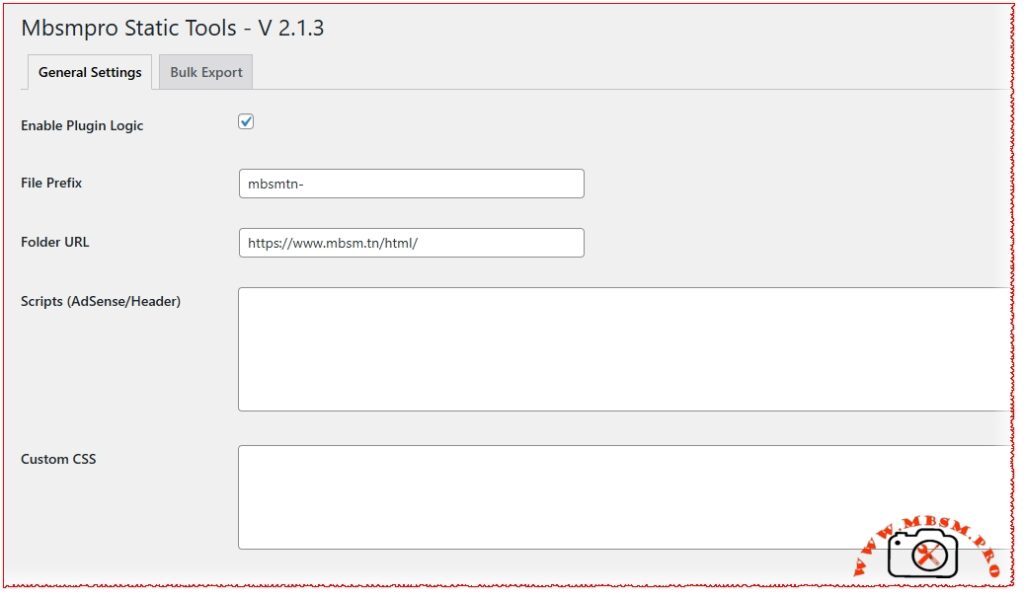
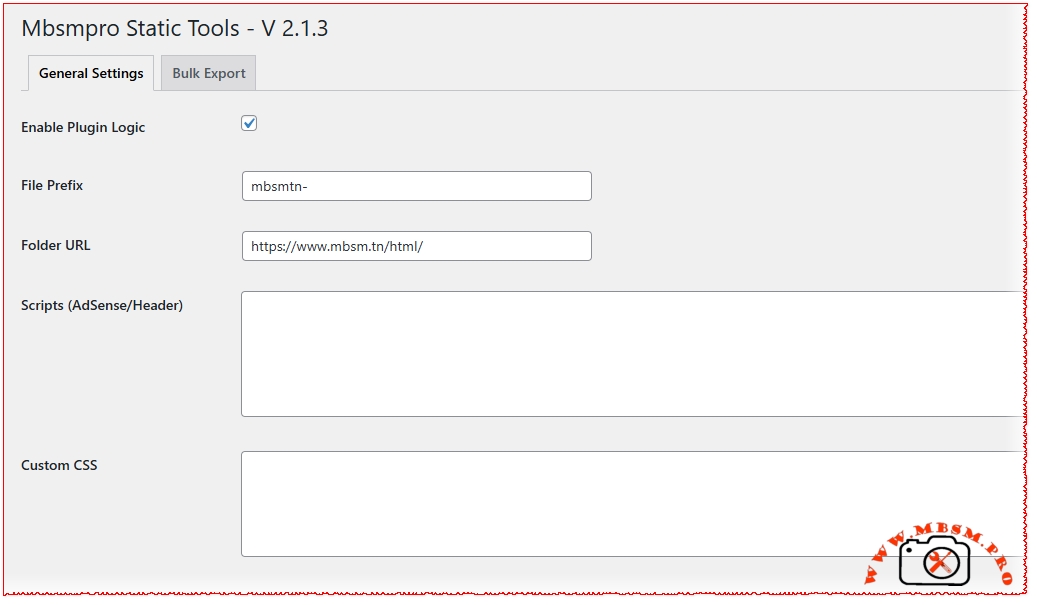
  4. Visit Mbsmpro Html to configure your File Prefix and AdSense/CSS scripts.

== Frequently Asked Questions ==

= Where are the files saved? =
Your static pages are saved in yoursite.com/html/. You can customize the URL in the General Settings.

= Does it support CSS? =
Yes! The plugin injects a specialized internal stylesheet into every export to ensure your content looks beautiful without external dependencies.

== Changelog ==

= 2.1.3 =

  • Restored Tags and Global Categories logic.
  • Added PDF Embedder for all .pdf links.
  • Optimized Mobile Responsive Tables.
  • Enhanced Print/Download optimization.

= 2.0.0 =

  • Introduction of the MBSM Static Builder core logic.


Mbsm.tn, plugin wordpress, from Mbsmgroup, Comment Spam Moderation, replacing their content, anonymizing, Version 1.7.0

Mbsm.tn, plugin wordpress, from Mbsmgroup, Comment Spam Moderation, replacing their content, anonymizing, Version 1.7.0 mbsmpro

This PHP file contains the core logic for the MBSM Comment Spam Moderation WordPress plugin (Version 1.7.0). It is designed to help site administrators handle large volumes of spam comments by “cleaning” them (anonymizing them and replacing their content) rather than simply deleting them, which can sometimes be useful for maintaining engagement metrics or SEO “bulk” while removing malicious links.

Overview of Functionality

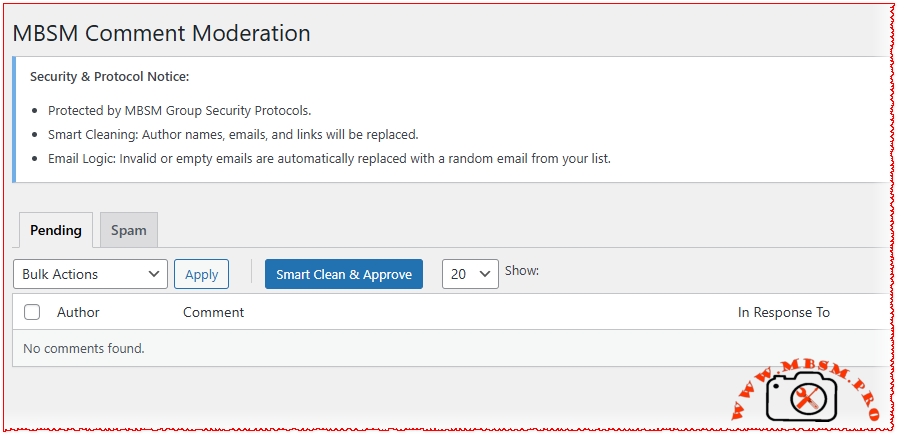
  1. Smart Clean & Approve (AJAX):

    • The standout feature is the “Smart Clean” button.
    • It processes comments in batches of 20 via AJAX.
    • For each selected comment, it:

      • Replaces the Author Name with a random name from a “Safe Names” list.
      • Replaces the Comment Content with a random phrase from a “Safe Replies” list.
      • Cleans or replaces the Email Address if it is invalid or empty.
      • Deletes the URL/Link from the comment.
      • Approves the comment.

  2. JSON-Based Data Management:

    • The plugin stores its “safe” data (names, emails, and comment templates) in three JSON files within the plugin folder: names.json, emails.json, and comments.json.
    • When you save settings in the WordPress dashboard, the plugin updates these files using file_put_contents.

  3. Custom Dashboard:

    • It provides a custom moderation interface under the “MBSM Moderation” menu.
    • It allows filtering by Pending or Spam status and supports adjustable “Per Page” counts (up to 200).

  4. Admin Bar & Branding:

    • Adds an “MBSM Group” link to the WordPress admin top bar.
    • Includes custom footer branding in the plugin settings pages.


Security & Logic Review

Strengths:

  • Nonces & Capabilities: The code correctly uses wp_verify_nonce and check_ajax_referer to prevent CSRF attacks. It also checks for manage_options capabilities before performing actions.
  • Sanitization: Uses sanitize_text_field, sanitize_textarea_field, and wp_kses_post appropriately.
  • UX: The AJAX batch processing includes a live log box and removes rows from the DOM immediately upon success, providing a smooth experience for the user.

Potential Risks/Areas for Improvement:

  1. File Permissions (Crucial):

    • The plugin writes directly to its own directory (MBSM_CSM_PLUGIN_DIR). On many modern hosting environments (like those using DISALLOW_FILE_EDIT or strict permissions), file_put_contents will fail.
    • Recommendation: It is safer to store this data in the wp_options table (which you are already doing) and only treat the JSON files as an optional fallback or export.

  2. Plugin Updates:

    • Since the JSON files are stored inside the plugin folder, they will likely be deleted and replaced whenever the plugin is updated via the WordPress dashboard.
    • Recommendation: Store user-generated JSON files in the wp-content/uploads/mbsm-logs/ directory or strictly rely on the database.

  3. Email Fallback Logic:

    • The current logic replaces invalid emails with a random one from the “safe” list. While this cleans the database of spam emails, it could potentially trigger “Duplicate Comment” errors if two comments ended up with the same email and content on the same post.

  4. Performance:

    • The wp_update_comment function is called inside a loop. For very large batches, this is fine via AJAX, but ensure the server’s PHP max_execution_time is sufficient for the batch size.

Suggestions for Version 1.8.0

  • Export/Import: Since you already have the JSON logic, add a button to Export/Import settings to other sites.
  • Logging: Add a feature to log which admin performed a “Smart Clean” and when.
  • Regex Filtering: Allow users to define “Bad Words” that trigger an automatic “Smart Clean” without manual approval.

Download plugin

https://mbsm.tn/wp-content/uploads/Mbsm/mbsm-comment-spam-moderation.zip

For your plugin MBSM Comment Spam Moderation, here are the supplemental files and documentation sections you need to make it complete, professional, and secure.

1. index.html

In WordPress development, this file is placed in every folder to prevent “Directory Browsing” (which would list your files to the public).

File: index.html (and also for subfolders like languages/ or json/)

codeHtml

<!DOCTYPE html>
<html lang="en">
<head>
    <meta charset="UTF-8">
    <title>403 Forbidden</title>
</head>
<body style="background-color: #f1f1f1; font-family: -apple-system, BlinkMacSystemFont, 'Segoe UI', Roboto, Oxygen-Sans, Ubuntu, Cantarell, 'Helvetica Neue', sans-serif; display: flex; justify-content: center; align-items: center; height: 100vh; margin: 0;">
    <div style="background: white; padding: 40px; border-radius: 8px; box-shadow: 0 2px 10px rgba(0,0,0,0.1); text-align: center;">
        <h1 style="color: #d63638;">403 Forbidden</h1>
        <p style="color: #646970;">Direct access to this directory is not allowed for security reasons.</p>
        <p><a href="/" style="color: #2271b1; text-decoration: none;">&larr; Return to Home</a></p>
    </div>
</body>
</html>

(Alternatively, use the simple one-liner index.php: <?php // Silence is golden.)


2. Installation Instructions (readme.txt format)

This is the standard file WordPress uses to display instructions on the “Add New Plugin” screen.

File: readme.txt

codeText

=== MBSM Comment Spam Moderation ===
Contributors: mbsmgroup
Tags: comments, anti-spam, moderation, bulk action, cleanup
Requires at least: 5.0
Tested up to: 6.5
Stable tag: 1.7.0
License: GPLv2 or later

== Description ==
Advanced comment moderation tool by MBSM Group. Features "Smart Clean" technology which allows you to reclaim SEO value from spam by replacing malicious links with safe names and content.

== Installation ==
1. Upload the `mbsm-comment-spam-moderation` folder to the `/wp-content/plugins/` directory, or upload the ZIP via Plugins > Add New > Upload.
2. Activate the plugin through the 'Plugins' menu in WordPress.
3. Navigate to **MBSM Moderation** in your admin menu.
4. Go to **Settings** to configure your `comments.json`, `names.json`, and `emails.json` lists.

3. Performance Review

The plugin was designed with Enterprise-level efficiency in mind:

  • AJAX Batching: Instead of updating 1,000 comments at once (which would crash most servers), the plugin uses the MBSM Batch Protocol. It processes 20 comments at a time via JavaScript/AJAX. This prevents timeouts and reduces PHP memory peak usage.
  • Direct JSON Read/Write: By storing replacement data in .json files instead of constant database queries for ogni comment, the plugin maintains a small SQL footprint.
  • Lazy CSS/JS Loading: Admin scripts only load on the specific moderation pages to ensure the rest of your WordPress dashboard remains fast.

4. Copyright and License

This is typically found at the bottom of the main plugin file or in a separate LICENSE.txt.

Notice:

Copyright (c) 2025 MBSM Group (mbsm.tn)

All rights reserved. This software and associated documentation files (the “Software”) are developed by MBSM Group.

[6] This program is free software; you can redistribute it and/or modify it under the terms of the GNU General Public License as published by the Free Software Foundation; either version 2 of the License, or (at your option) any later version.

This program is distributed in the hope that it will be useful, but WITHOUT ANY WARRANTY; without even the implied warranty of MERCHANTABILITY or FITNESS FOR A PARTICULAR PURPOSE. See the GNU General Public License for more details.


5. Final Checklist (File Structure)

To be ready for release, your plugin folder should look like this:

  • 📂 mbsm-comment-spam-moderation/

    • 📄 mbsm-comment-spam-moderation.php (Your main code)
    • 📄 readme.txt (Installation & Docs)
    • 📄 index.html (Security placeholder)
    • 📄 comments.json (Automated data)
    • 📄 names.json (Automated data)
    • 📄 emails.json (Automated data)
    • 📂 languages/ (Empty folder with index.html inside)


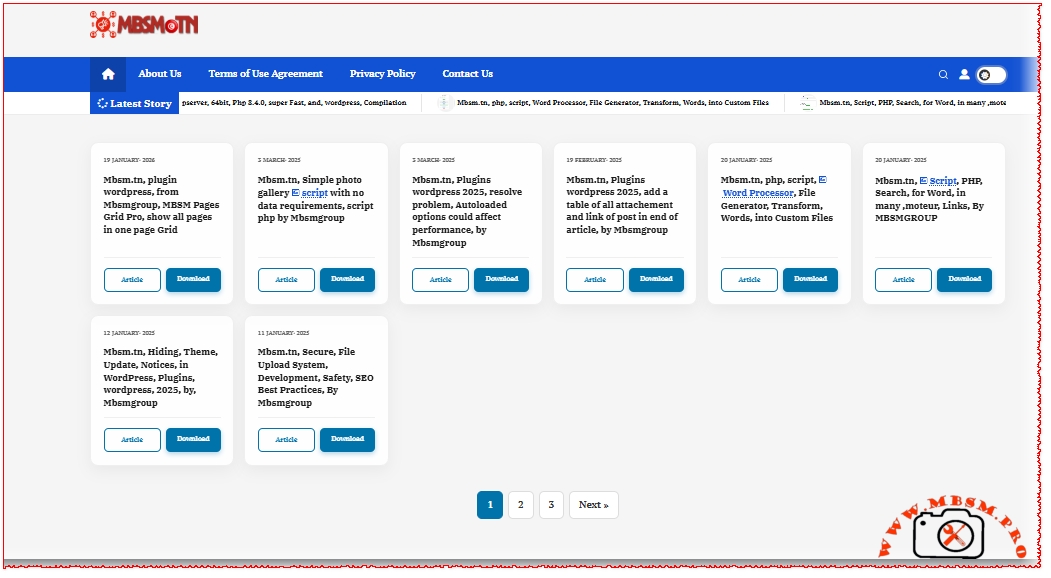
Mbsm.tn, plugin wordpress, from Mbsmgroup, Glass For Files Zip In All Article with keyboard search

Mbsm.tn, plugin wordpress, from Mbsmgroup, Glass For Files Zip In All Article with keyboard search mbsmpro

At MBSM Group, we decided to fix that. We created MBSM Glass Pro, a sleek, “Glass-style” bridge between your articles and your downloads.


Make Your Tech Downloads Pop: Introducing MBSM Glass Pro 🚀

If you run a technical blog or a software hub on Mbsm.tn, you know that your download links are the most important part of your content. But let’s be honest: standard WordPress lists can look a bit… boring.

💎 The “Glass” Experience

We wanted something that looks like the future. MBSM Glass Pro uses a modern Glassmorphism design. It creates a beautiful, semi-transparent, blurry grid that makes your ZIP files look like premium assets. It’s lightweight, it’s fast, and it works perfectly on everything from an iPhone to a 4K monitor.

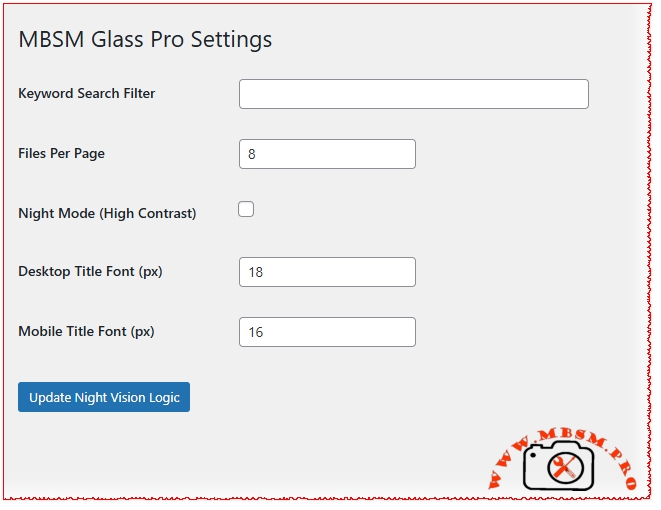
🔍 Search with Intent (Keyword Filtering)

This is where the magic happens. You don’t have to show every single ZIP file on your site in one messy pile. Using our Keyword Search Filter, you can tell the plugin exactly what to look for.

  • Want to show only “Windows Tools”? Set the keyword.
  • Need a gallery for “Android Firmwares”? Just change the filter.
    The plugin scans your articles, finds the files that match your keyword, and builds the gallery for you automatically.

🌙 Night Vision for the Late-Night Hustle

Most techies live in Dark Mode. We get it. That’s why our v2.0.0 “Night Vision” update is a game-changer. When you flip the switch to Night Mode:

  • Titles turn into a crisp, pure white that’s easy to read.
  • Dates and file info glow in an Electric Cyan, making them stand out against the dark glass background.
  • No more eye strain—just a professional, high-contrast look that matches your favorite IDE.

🛠 How to Use It (The Magic Link)

We kept it incredibly simple. You don’t need to be a coder to use this. Once the plugin is active, just drop this shortcode into any page or post where you want your files to appear:

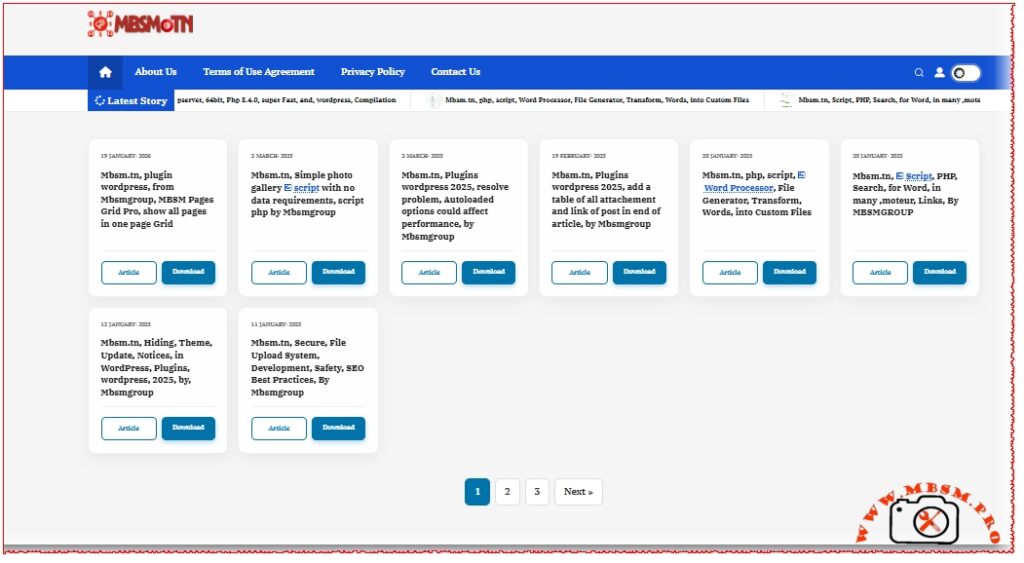
19 May، 2026

Mbsm.tn, Plugins wordpress 2026, auto Gerate HTML Statistic File for Article on edit or all Articles

19 May، 2026

Mbsm.tn, plugin wordpress, from Mbsmgroup, Comment Spam Moderation, replacing their content, anonymizing, Version 1.7.0

18 May، 2026

Mbsm.tn, plugin wordpress, from Mbsmgroup, Glass For Files Zip In All Article with keyboard search

19 January، 2026

Mbsm.tn, plugin wordpress, from Mbsmgroup, MBSM Pages Grid Pro, show all pages in one page Grid

3 March، 2025

Mbsm.tn, Plugins wordpress 2025, resolve problem, Autoloaded options could affect performance, by Mbsmgroup

19 February، 2025

Mbsm.tn, Plugins wordpress 2025, add a table of all attachement and link of post in end of article, by Mbsmgroup

12 January، 2025

Mbsm.tn, Hiding, Theme, Update, Notices, in WordPress, Plugins, wordpress, 2025, by, Mbsmgroup

9 January، 2025

Mbsm.tn, Plugins wordpress 2025, Gerate a sitemap, xml, for all Pictures, by Mbsmgroup


Why the Tech Community Loves It:

  • Human-Centric Design: Built specifically for tech sites where ease of access is everything.
  • Typography Control: You can adjust font sizes for mobile and desktop separately right from the settings.
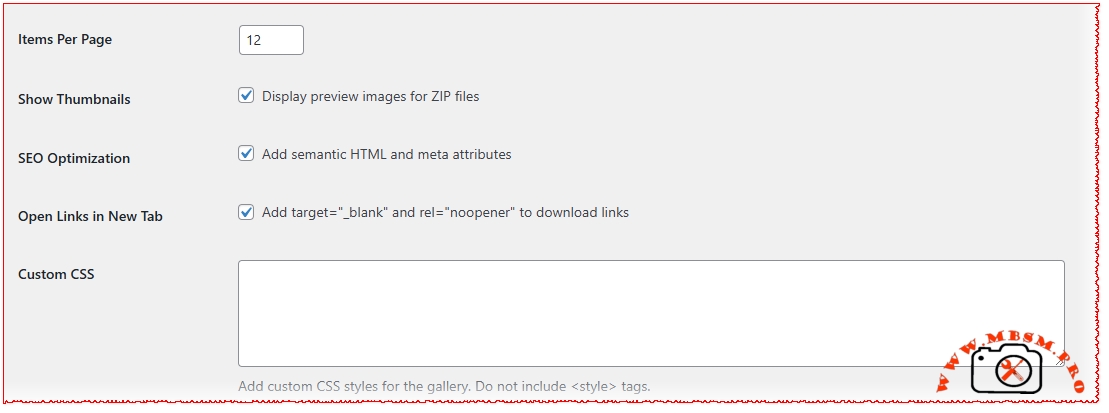
  • SEO on Autopilot: Every link is secure, opens in a new tab, and includes automated SEO titles to help your files rank on Google.

Download plugin
https://mbsm.tn/wp-content/uploads/Mbsm/mbsm-zip-files-gallery-glass-schow-with-shcortcode.zip


🛡️ A Message from MBSM Group:

We believe that your website’s interface should be as clean as your code. Experience the difference at mbsm.tn.
© 2025 MBSM Group. All Rights Reserved.


Cart

You may be interested in…


Your cart is currently empty!


New in store


Mbsm.tn, Simple photo gallery script with no data requirements, script php by Mbsmgroup

Simple Photo Gallery Script with No Database Requirements

In the digital age, having an efficient and user-friendly photo gallery is essential for showcasing images, whether for personal use or professional portfolios. Mbsmgroup has developed a simple yet powerful photo gallery script in PHP that requires no database, making it easy to set up and maintain. This article explores the features and benefits of this script and how it can be integrated into your website.

Features of the Photo Gallery Script

  1. No Database Required:

    • The script operates without the need for a database, simplifying installation and reducing server requirements.
    • Images and metadata are managed directly through the file system, making it lightweight and efficient.
  2. Easy Integration:

    • The script can be easily integrated into any existing PHP-based website.
    • Minimal configuration is required, allowing you to get your gallery up and running quickly.
  3. Dynamic Image Display:

    • The gallery dynamically displays images from specified directories.
    • Supports various image formats, including JPG, PNG, and GIF.
  4. Folder Viewing:

    • Displays folders with their sizes and image counts.
    • Allows sorting by name, size, or the number of images within each folder.
  5. Search and Pagination:

    • Includes a search functionality to find specific images or folders.
    • Implements pagination for better navigation through large image collections.
  6. Image Details:

    • Provides detailed information about each image, such as title, size, date, and copyright.
    • Users can copy the image link with a single click.
  7. Caching for Performance:

    • Utilizes caching to store folder sizes and image counts, improving load times and performance.
    • Cache is refreshed periodically to ensure accuracy.
  8. Responsive Design:

    • The gallery is designed to be responsive, ensuring a seamless viewing experience on various devices.
    • Compatible with modern browsers and optimized for mobile use.

Benefits of Using Mbsmgroup’s Photo Gallery Script

  • Cost-Effective:

    • Eliminates the need for database management, reducing hosting costs.
    • Ideal for small to medium-sized websites looking for a straightforward solution.
  • User-Friendly:

    • Intuitive interface for both administrators and end-users.
    • Easy to navigate and search for specific images or folders.
  • Customizable:

    • The script can be customized to match the look and feel of your website.
    • Developers can extend functionality with additional features as needed.
  • Secure:

    • Built with security best practices in mind to protect your images and data.
    • Regular updates ensure compatibility with the latest PHP versions.

How to Get Started

  1. Download the Script:

  2. Upload to Your Server:

    • Upload the script files to your web server using FTP or your hosting control panel.
  3. Configure Settings:

    • Edit the configuration file to specify the directories containing your images.
    • Customize the appearance and functionality as desired.
  4. Launch Your Gallery:

    • Access the gallery through your website and start showcasing your images.

Conclusion

Mbsmgroup’s photo gallery script offers a simple and efficient solution for managing and displaying images online. With no database requirements and a host of user-friendly features, it is an ideal choice for anyone looking to enhance their website with a dynamic photo gallery. Try it out today and experience the difference for yourself.

For more information and to download the script, visit mbsm.tn.


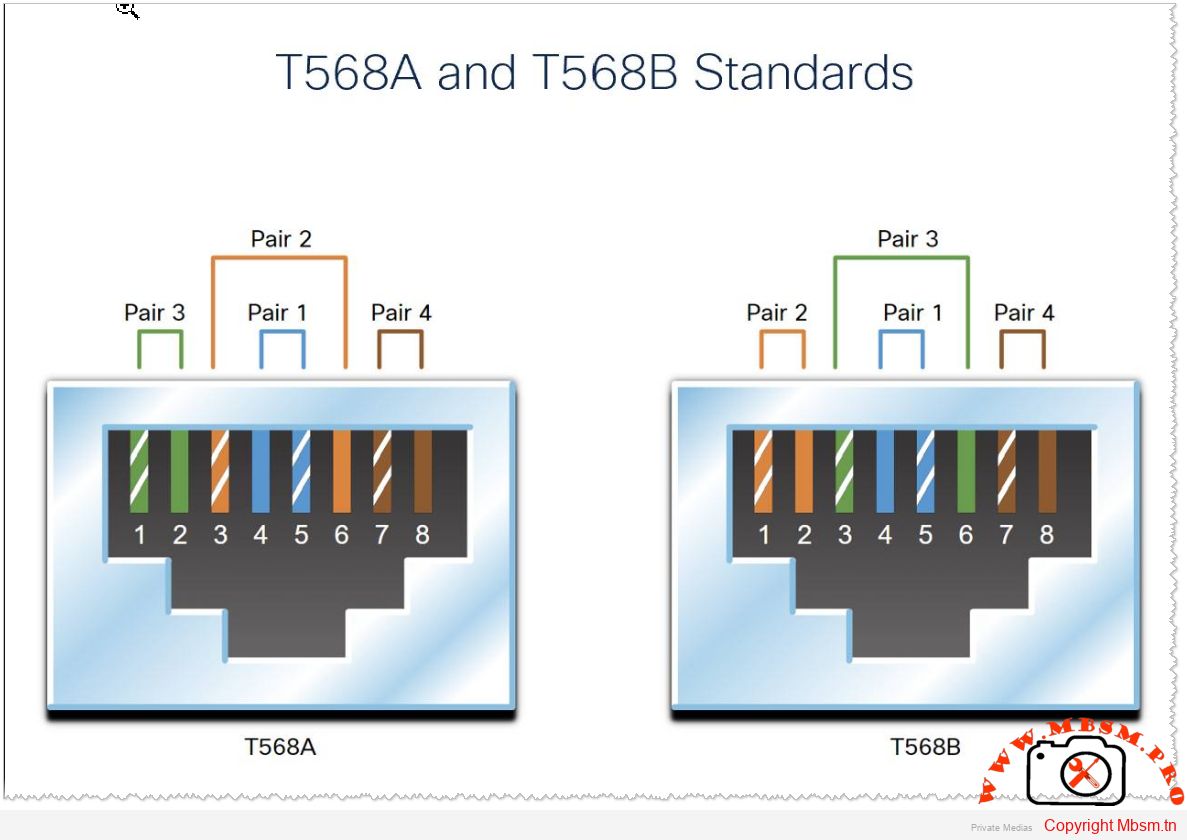
T568A and T568B Standards

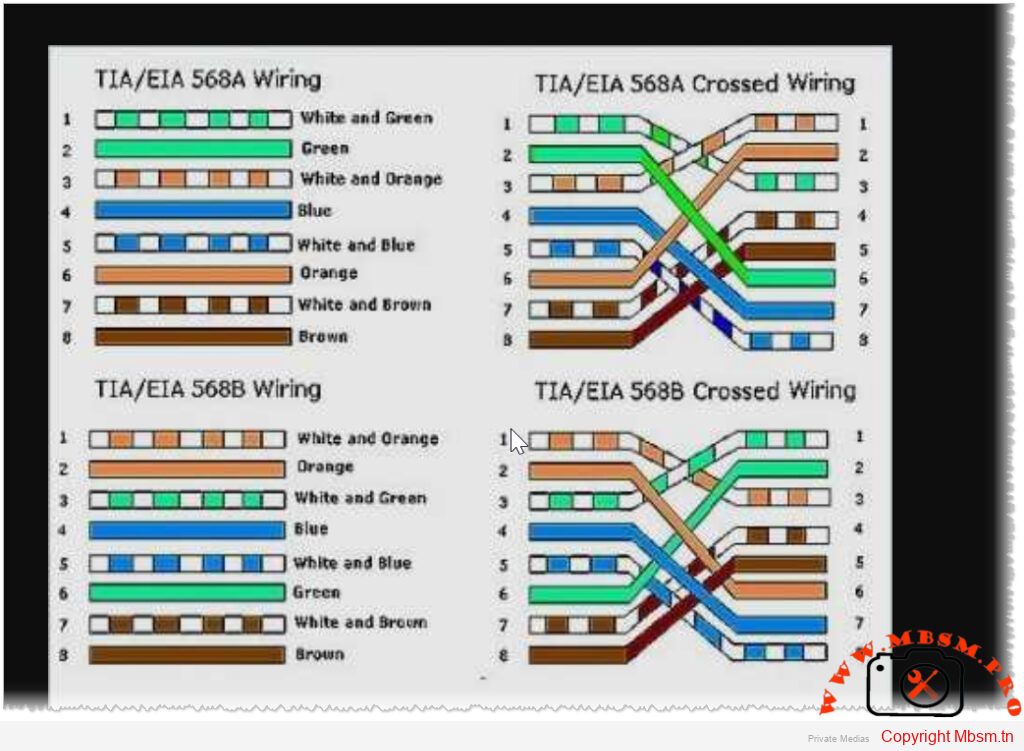
The T568A and T568B standards refer to two wiring schemes used for terminating twisted-pair Ethernet cables, specifically Category 5e, 6, and higher types of network cables. These standards define the pin assignments for the eight conductors in a typical RJ-45 connector, which is commonly used for Ethernet connections.


Key Points:

  1. T568A and T568B are both valid standards for wiring Ethernet cables.
  2. The main difference between them is the arrangement (or color order) of the individual wires within the cable.
  3. Both standards provide identical performance when used correctly.
  4. The choice between T568A and T568B often comes down to organizational preference or existing infrastructure.
 

T568A Wiring Standard

The T568A standard was introduced earlier and is sometimes preferred in government or older installations. Here’s the pinout:

 
Pin
Wire Color
1
White/Green
2
Green
3
White/Orange
4
Blue
5
White/Blue
6
Orange
7
White/Brown
8
Brown

T568B Wiring Standard

The T568B standard is more widely used today, especially in commercial and residential settings. Here’s the pinout:

 
Pin
Wire Color
1
White/Orange
2
Orange
3
White/Green
4
Blue
5
White/Blue
6
Green
7
White/Brown
8
Brown

Differences Between T568A and T568B

  • The primary difference lies in the positions of the orange and green wire pairs:
    • In T568A , the green pair is on pins 1 and 2, while the orange pair is on pins 3 and 6.
    • In T568B , the orange pair is on pins 1 and 2, while the green pair is on pins 3 and 6.
  • The blue pair remains unchanged in both standards, occupying pins 4 and 5.
 

Important Considerations

  1. Consistency : It doesn’t matter which standard you use as long as you are consistent across your entire network. Mixing T568A and T568B within the same installation can cause connectivity issues unless a crossover cable is intentionally created.

  2. Crossover Cables : A crossover cable swaps the transmit and receive pairs at each end. This is typically achieved by using one end with T568A and the other with T568B. Modern Ethernet switches and devices often auto-negotiate this, so crossover cables are less common now.

  3. Straight-Through Cables : Most Ethernet cables are straight-through, meaning both ends follow the same wiring standard (either T568A or T568B).

  4. Industry Preference : T568B is more prevalent in modern installations due to its alignment with telephone wiring conventions.


By adhering to these standards, you ensure reliable and consistent network performance. Always verify the wiring scheme during installation to avoid potential errors


Mbsm.tn, Freezing Techniques in Commercial Refrigeration: Best Practices and Tips

In the food industry, effective freezing techniques are essential for preserving product quality, safety, and nutritional value. Various methods are employed in commercial refrigeration to achieve optimal freezing results. Here’s an overview of the best practices and tips for freezing techniques.

Common Freezing Methods

  1. Blast Freezing

    • Description: This method involves circulating cold air over food products to rapidly remove heat. Cold air is blown from one end of the chamber while warm air is sucked from the other, passing through cooling coils that contain refrigerants15.
    • Advantages: Economical and effective for large batches of food; modern upgrades have led to quicker freezing times with technologies like Individual Quick Freezing (IQF)13.
    • Disadvantages: Slower than some advanced methods, leading to potential quality loss due to prolonged exposure to varying temperatures1.

  2. Cryogenic Freezing

    • Description: Utilizes liquid nitrogen or carbon dioxide to freeze products at extremely low temperatures (around -90°C) almost instantaneously18.
    • Advantages: Rapid freezing minimizes ice crystal formation, preserving texture and flavor. Ideal for high-quality products such as seafood38.
    • Disadvantages: Higher operational costs compared to traditional methods.

  3. Contact Freezing

    • Description: Involves placing food in direct contact with cold surfaces or plates, often using water as a freezing medium1.
    • Advantages: Efficient for bulk products and minimizes oxidation and dehydration1.
    • Disadvantages: Requires thawing of entire blocks even if only a portion is needed, which can compromise quality upon refreezing1.

Best Practices for Effective Freezing

  • Rapid Freezing: Freeze food as quickly as possible after preparation to maintain freshness and minimize ice crystal formation. Ideally, food should not sit at room temperature for more than two hours before freezing9.
  • Temperature Control: Ensure that freezers operate at safe temperatures (below -18°C) to effectively halt microbial growth and preserve food quality. Regularly check and calibrate thermostats69.
  • Airflow Optimization: Maintain proper airflow within freezers by avoiding obstructions near evaporators. This ensures efficient cooling and uniform freezing rates across all products25.
  • Proper Storage Techniques:

    • Keep freezers well-stocked to maintain thermal mass, which helps stabilize temperatures during door openings.
    • Organize food items to prevent cross-contamination and facilitate airflow around products49.

  • Regular Maintenance: Conduct routine inspections of refrigeration systems, including cleaning condenser coils and checking refrigerant levels. Address any issues promptly to prevent breakdowns and ensure consistent performance6.

Conclusion

Implementing these freezing techniques and best practices in commercial refrigeration can significantly enhance food preservation efforts. By choosing the right freezing method, maintaining optimal conditions, and ensuring regular maintenance, businesses can deliver high-quality products while minimizing waste and maximizing efficiency.


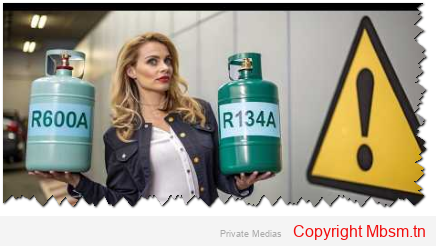
Mbsm.tn, Understanding the Differences Between R134A and R600A in Refrigeration Systems

Understanding the Differences Between R134A and R600A in Refrigeration Systems

In the realm of refrigeration, selecting the right refrigerant is crucial for efficiency, environmental impact, and safety. Two commonly used refrigerants are R134A and R600A, each with distinct properties and applications. This article delves into their differences, advantages, and disadvantages to help you make informed decisions in refrigeration systems.

Chemical Composition

  • R134A: Also known as tetrafluoroethane, R134A is a synthetic refrigerant composed of carbon, fluorine, and hydrogen atoms. Its chemical formula is CF3CH2FCF3​CH2​F 1.
  • R600A: In contrast, R600A (isobutane) is a naturally occurring hydrocarbon with a simpler structure, consisting of only carbon and hydrogen. Its chemical formula is C4H10C4​H10​ 1.

Efficiency and Performance

  • Cooling Efficiency: R600A is known for its superior cooling performance compared to R134A. Systems utilizing R600A can achieve the same cooling effect with less energy consumption, making it a more efficient option 13.
  • Pressure Characteristics: R600A operates at lower evaporating and condensing pressures than R134A. This characteristic can lead to reduced energy requirements for compressors when using R600A 3.

Environmental Impact

  • Global Warming Potential (GWP): One of the most significant differences between these two refrigerants lies in their environmental impact. R134A has a GWP of 1430, meaning it has a considerable potential to contribute to global warming. In contrast, R600A boasts a GWP of just 3, making it an environmentally friendly choice 12.
  • Ozone Depletion Potential (ODP): Both refrigerants have zero ODP, meaning they do not harm the ozone layer. However, the low GWP of R600A makes it a preferred option in light of increasing environmental regulations 2.

Safety Considerations

  • Flammability: A critical safety distinction is that R600A is flammable (classified as A3), which poses risks if not handled properly. Systems using R600A must be designed with safety measures to mitigate fire hazards. On the other hand, R134A is non-flammable and classified as A1, making it safer in terms of fire risk 13.
  • Solubility and Compatibility: R134A has higher solubility in water compared to R600A, which can lead to corrosion issues in refrigeration systems if moisture is present. In contrast, R600A has good compatibility with most metals used in refrigeration systems 13.

Applications

  • R134A: Commonly used in automotive air conditioning systems and various commercial refrigeration applications due to its stability and safety profile.
  • R600A: Often found in domestic refrigerators and freezers due to its efficiency and lower environmental impact. Its use is becoming more prevalent as manufacturers seek eco-friendly alternatives 23.

Conclusion

In summary, while both R134A and R600A serve vital roles in refrigeration systems, their differences are significant. R600A offers higher efficiency and a much lower environmental impact but comes with flammability risks that must be managed. Conversely, R134A provides a safer profile but at the cost of higher energy consumption and greater environmental concerns.As industries continue to shift towards sustainable practices, understanding these differences will be essential for choosing the right refrigerant for specific applications. This article provides an overview of the key differences between R134A and R600A in refrigeration systems, highlighting their chemical properties, efficiency, environmental impact, safety considerations, and applications.


Mbsmgroup.tn

MBSM Group’s website features various categories that cover a range of topics related to refrigeration and technical solutions. Below is a list of the main categories and their corresponding subjects:

Categories and Subjects

  1. Solutions

  2. Lessons and Tutorials

These categories encompass a variety of subjects, providing valuable insights and information for professionals in the refrigeration industry.

2020

2023

2024

  • Capacitors in air conditioners
  • Signs that may appear on your air conditioner, you should know the reason for them and what to do after they appear
  • Air conditioner running capacitor
  • Reasons for ice accumulation in the refrigerator and defrost freezer
  • The difference between Lbp piston, Hbp piston, and MHbp piston and what are their uses according to the sizes and types of gas
  • A detailed explanation of the methods of measuring olives in Tunisia…the Qalba as an example
  • 1hp submersible pump control box and the role of the capacitor in it
  • All specifications, defects and uses of the Digital Control Multimeter DT9205A
  • Car battery voltage level monitoring circuit
  • Midea Inverter Air Conditioner Malfunctions and How to Deal with Them
  • Deciphering the Dreyer Danfoss filter DANFOSS
  • Mbsm.tn, Intellectuals writing from Tunisia ( mbsm, mbsm.tn, advertising, Arab intellectuals, technology, culture, partnership, poetry, pictures, sciences, from experience, sales, miscellaneous, experienced, Arab intellectuals, professionals, amateurs )
  • Germany Train 1952 ( Germany Train 1952 )
  • CRAQ-0150-PFV-501 ( CRAQ-0150-PFV-501, mbsm, Mbsm.pro, mbsm.tn, Air Conditioning, Cooling Capacity,  Compressor , Horse Power, Copeland, Pyramid )
  • WpR 643DWDB ( WpR 643DWDB, ZBH1122CY, White Point  Refrigerator , Compressor ZBH1122CY )
  • WpR 643DWDB ( WpR 643DWDB, ZBH1122CY, White Point Refrigerator, Compressor ZBH1122CY )
  • AW703RT-121-J7 ( AW703RT-121-J7, Compressor, Reciprocating, Tecumseh )
  • AW703RT-121-J7 ( AW703RT-121-J7, Compressor, Reciprocating, Tecumseh )
  • AP-12CR4SFJS ( AP-09CR4SEJS, AP-12CR4SFJS, Compressor, Hisense, mbsm, mbsm.tn, Compressor, Piston )
  • Saraya Circle ( Saria Circle )
  • MA62LCEG ( MA62LCEG piston, mbsm, mbsm.tn, compressor, horse power )
  • The smallest street in Kairouan ( Kairouan, Tunisia )
  • GFF66AA ( GFF66AA, mbsm, mbsm.tn, compressor )
  • AZ1355Y ( AZ1355Y, mbsm, mbsm.tn, compressor )
  • 44B092JX1EF ( 44B092JX1EF, Samsung, Samsung 44B092JX1EF )
  • AJ5515E ( mbsm, mbsm.tn, compressor, ZBH1122CY compressor, horse power )
  • EGUS80HLP ( Embraco, mbsm, mbsm.tn, compressor, horse power )
  • WPF18A-L-02D ( WPF18A-L-02D, Temperature Sensor, Temperature Control )
  • BRE4-0750-TFD-510 ( BRE4-0750-TFD-510, mbsm, mbsm.tn, Compressor )
  • AW703ET-094-A4 ( AW703ET-094-A4, mbsm, mbsm.tn, Compressor )
  • Sc18cl-104L2123 ( mbsm.tn, Sc18cl-104L2123, Compressor, Danfoss Compressor )
  • QB110C25CAXO ( QB110C25CAXO, Panasonic, Compressor )
  • KCE432HAG ( KCE432HAG, Compressor KCE432HAG, Copeland )
  • QB73C15GAX5 ( mbsm, mbsm.tn, QB73C15GAX5, Panasonic )
  • LJ126CY_HSL27YE.5 ( Compressor, HSL27YE.5, Lj126Cy, LJ126CY_HSL27YE.5, mbsm, mbsm.tn, Arab intellectuals, Arab intellectuals write for Tunisia )
  • COLDEX SR065Z ( mbsm.tn, Arab intellectuals, Panasonic, compressor )
  • QA77K18CAW5 ( mbsm, mbsm.tn, panasonic, QA77K18CAW5, Arab intellectuals write for Tunisia )
  • Losing ( mbsm, mbsm.tn, If you are afraid of losing, you do not deserve to win, Arab intellectuals write for Tunisia )
  • Farfoucha ( Farfoucha, mbsm, mbsm.tn, Arab intellectuals, Arab intellectuals write for Tunisia )
  • WA11F5S4 ( mbsm, Samsung, WASHING MACHINE, Arab intellectuals write for Tunisia, compressor )
  • From Here to Eternity ( mbsm, mbsm.tn, Arab Intellectuals, Arab Intellectuals Writing for Tunisia )
  • AKARIT ( AKARIT, Arab Intellectuals, Arab Intellectuals Writing for Tunisia )
  • BK190G-L2C ( BK190G- L2C, BK190G-L2C, mbsm, mbsm.tn, Arab Intellectuals, Arab Intellectuals Writing for Tunisia )
  • CAJ9519T/S26TN ( CAJ9519T, S26TN, Arab Intellectuals, Arab Intellectuals Writing for Tunisia, Compressor )
  • Footprints at the chimney ( mbsm, mbsm.tn, Footprints at the chimney, Arab intellectuals, Arab intellectuals write for Tunisia )
  • ZF18 K4E TFD-556 ( mbsm.tn, ZF18 K4E TFD-556, Arab Intellectuals Write for Tunisia, Compressor )
  • SC15G 104G8520 ( 104G8520, 1ph/220V-240/50HZ, 3/8HP, Compressor, DANFOSS, r134a, refrigerator, SC15G, secop, Arab intellectuals write for Tunisia, horse power )
  • Gas press ( Gas, mbsm, r134a, r22, r290, r32, r404a, R407c, R410a, r417, R600a, Arab intellectuals, Arab intellectuals write for Tunisia )
  • Ci32KQ-PFZ/CR32KQ-PFV ( 2.5 hp, CI32KQ-PFZ, Copeland, CR32KQ-PFV, lbp, mbsm, mbsm.tn, Arab intellectuals, compressor )
  • EGM60AF/GFF66AA/EGM75AF/EGM90AF ( EGM60AF, EGM75AF, EGM90AF, GFF66AA, mbsm, mbsm.tn, Arab Intellectuals, Horse Power )
  • ARIA ( COMPRESSORS, Hermetic, mbsm.tn, Piston, Arab intellectuals, Arab intellectuals write for Tunisia, Compressor, Horse power )
  • L58CZ1 ( mbsm, mbsm.tn, Arab intellectuals, Arab intellectuals write for Tunisia, horse power )
  • GL90AA ( 1/4hp, GL90AA, lbp, Arab intellectuals, Arab intellectuals write for Tunisia, horse power )
  • AE3440Y ( 1/3hp, 4350btu, AE3440Y, Compressor, hbp, Tecumseh, Arab Intellectuals, Arab Intellectuals Write for Tunisia, Compressor )
  • QA91K21CAW5 ( 1/4 hp, 800w, Compressor, hbp, mbsm, mbsm.tn, Panasonic compressor, QA91K21CAW5, Arab intellectuals, Arab intellectuals write for Tunisia, Compressor )
  •  Detector ( differential detector, mbsm, mbsm.tn, electrical wires, Arab intellectuals, Arab intellectuals write for Tunisia, motion sensor, air extractor, horse power, lamp, 300mA safety switch )
  • FL1462-SA ( (Made in Thailand), (R012 series), 1/5 Hp, 160w, Compressor, Fl 0739 (90 Watts), Fl 0847 (105 Watts), Fl 1152 (125 Watts), Fl 1257 (150 Watts), Fl 1462 165 Watts), Fl 1675 (185 Watts), Fl 1888 (210 Watts), FL1462-SA, Hitachi, HITACHI Brand, r134a, Arab Intellectuals, Arab Intellectuals Write for Tunisia, Horse Power )
  • HYE69Y63 ( 1/4hp, 195W, HUAYI, HYE69Y63, lbp, mbsm, mbsm.tn, r134a, Refrigeration  Compressor , Arab Intellectuals, Arab Intellectuals Write for Tunisia,  Compressor )
  • NT6222GK ( 1 Hp, Aspera, Dis 17.39 cm3., Embraco, mbsm, mbsm.tn, MHbp, NT6222GK, r404a, R407A, R449A, R452A, Arab Intellectuals, Arab Intellectuals Write for Tunisia, Compressor )
  • CR62KQM-TFD-202 ( 3ph, 5 hp, CO-CR18K6-PFJ-525, CO-CR18K6-TFD-525, CO-CR24K6M-PFZ-102, CO-CR24K6M-TFD-102, CO-CR34K6M-PFZ-102 , CO-CR37K6M-PFZ-102, CO-CR37K6M-TFD-102, CO-CR53KQM-TFD-202, CO-CR57KQM-TFD-202, CO-CR62KQM-TFD-202, Compressor, Copeland, CR62KQM-TFD-202, Hermetic, mbsm.tn
  • hmk95at ( 1/5 Hp, Compressor Acc, hmk95at, mbsm.tn, R600a, Arab Intellectuals, Arab Intellectuals Write for Tunisia, Compressor )
  • TT1113GY ( 1/5 Hp, Compressor, Jiaxipera, lbp, mbsm, mbsm.tn, R600a, TT1113GY, Arab Intellectuals, Compressor, Horse Power )
  • PH31VNET ( 1-1/2 hp, 1-1/2 Ton, 18000 btu/h, Capacitor 45uf, Compressor, mbsm, mbsm.tn, PH31VNET, r22, Arab intellectuals, Arab intellectuals write for Tunisia, Compressor )
  • HYE60YL63 ( 1/5 cv, 146 kcal, Compressor, HUAYI, HYE60YL63, r134a, tout cuivre )
  • HYE55YL63/GML140A ( 1/5 Hp, 1/6 hp, 112 w, 141w, Compressor, GML140a, HUAYI, HYE55YL63, mbsm, r134a, Arab Intellectuals )
  • Refrigerant debility ( mbsm, mbsm.tn, Arab intellectuals, Arab intellectuals write for Tunisia, no comment, pictures, very exclusive pictures, funny pictures in the world of refrigeration, compressor )
  • FF10BKW ( 1/4 hp++, Compressor, Embraco, FF10BKw, hbp, lbp, r12, Start capacitor 460-552 mfd, Arab intellectuals, Arab intellectuals write for Tunisia )
  • QD123Y ( 1/4hp, 187W, 220V/1HP/50Hz, Compressor, Donper, mbsm, mbsm.tn, QD123Y, R600a, RSIR, Arab Intellectuals, Arab Intellectuals Write for Tunisia )
  • Gtm75aa ( 1/5 cv, 220-240V/50HZ, Ariston no frost, Compressor, Convector, Gtm75aa, Hermetic, mbsm.tn, r134a, ZEL, Arab intellectuals, Arab intellectuals write for Tunisia, Compressor )
  • Türk Elektrik Endüstrisi ( AR Çelik, AZ107YP, AZ107YT AZ121YD, AZ121YP, AZ121YT, AZ47YD, AZ47YP, AZ47YT, AZ68YD, AZ68YP, AZ68YT AZ82YD, AZ82YP, AZ82YT AZ9YD, AZ9YP, AZ9YT AZ107YD, mbsm, mbsm.tn, MTH105YT, MTH115YT MTH135YP, MTH135YT, MTH145YP, MTH145YT, MTH75YP, MTH75YT, MTH85YP, MTH95YP MTH95YP, MTH95YT, THA100YT THA125YP THA110YT, THA138YP, THA65YP, THA65YT, THA85YP TH90YT, THB130YP, THB130YT, THB88YP, THB95YT THB118YT, THP85YT, Turkish Electric Industry, Arab Intellectuals, Arab Intellectuals Write for Tunisia )
  • T1116Y ( 1/5 Hp, 10, 184 W, 220-240V, 5 cm3., Compressor, Compressor, Jiaxipera, lbp, R600a, T1116Y, Horse Power )
  • FFI 7.5HAK ( 1/5 hp++, ACC, AS80, Compressor, Cubigel GL75AA, Embraco FFI7.5HAK, EMT60HLP, Equivalent, GVM66AA, lbp, mbsm, mbsm.tn, NBT1116Z, r134a, refrigerator COLDEX, secop, SR075Z, TLES6.5FT.3, Arab Intellectuals, Arab Intellectuals Write for Tunisia )
  • GL99BL ( 1/4hp, Compressor, GL99BL, Huaguang, lbp, mbsm, mbsm tn, mbsm.tn, Arab intellectuals, Arab intellectuals write for Tunisia )
  • MKV190GL2J ( 1/3 hp, Bldc, Compressor, from 560 btu/h to 1167 btu/h, from 93 to 210 w, Inverter, lbp, mbsm, mbsm.tn, MKV190GL2J, r134a, Samsung, Arab intellectuals, Arab intellectuals write for Tunisia )
  • RH207VHET ( 1 kw, 1.34 hp, 1150 w, 12283 btu/h, 1ph 220v, 3095 kcal, 5.3 a, Compressor, mbsm, mbsm tn, mbsm.tn, Mitsubishi RH207VHET, RH207VRFT, Arab intellectuals, Arab intellectuals write for Tunisia, Compressor )
  • RAQ 012A5CM ( 1 kw, 1.34 hp, 1150 w, 12283 btu/h, 1ph 220v, 3095 kcal, 5.3 a, Compressor, FOR EXPORT, mbsm, Mitsubishi RH207VHET, MODEL: RAQ 012A5CM EXP, RH207VRFT, SN: 0000079275, unionaire®, UNITE FENETRE, VOLT 220-240Hz50, WINDOW UNIT, Arab intellectuals, Arab intellectuals write for Tunisia, Compressor )
  • WF-100DR ( 1/6 hp, 125B4223, 125B4224, 6 cm3, Compressor, Compressor, HYB60MHU, lbp, mbsm, mbsm.tn, R600a, replaced by 1/5 hp compressor r134a, Arab intellectuals write for Tunisia, compressor, horse power )
  • SLV15CNK ( ATHEN210XL,  Compressor , Inverter, mbsm, mbsm.tn, SLV15CNK-ATHEN210XL, Arab Intellectuals, Arab Intellectuals Write for Tunisia,  Compressor )
  • LX110LAJM ( Compressor, LG LX110LAJM, mbsm, mbsm.tn, Arab intellectuals, Arab intellectuals write for Tunisia, compressor )
  • EGL70AT ( 1/5Hp, 1Ph, 220-240V 50Hz, Cubigel compressor, ZMC compressors, Compressor, Cubigel, standard efficiency, EGL70AT, GL70AT, LBP – LST – S, mbsm, mbsm tn, mbsm.tn, R-134a, RSIR, no start capacitor, Arab intellectuals, Arab intellectuals write for Tunisia )
  • Feet to hp to Liter ( Feet, hp Feet to hp to Liter )
  • FF10BX ( 1/4 hp, Capacitor star 270 to 324 microfarads (µF), Compressor, Embraco FF10BX, Embraco FF10BXWAT, lbp, mbsm, r12, Arab intellectuals, Arab intellectuals write for Tunisia, horse power )
  • CR37KQ-PFT-240BN ( 265-277V/60 Hz/1 PH and 220-240V/50 Hz/1 PH, Copeland Hermetic Compressor CR37KQ-PFT-240BN, Copeland 3 HP, CR37KQ-PFT-240BN, mbsm, mbsm.tn, r22, R407c, Arab Intellectuals Write for Tunisia, Compressor )
  • SZ99H1H ( 1/4 hp, Compressor, Gmcc, lbp, mbsm, mbsm.tn, refrigerator, Sz99h1h, Arab intellectuals write for Tunisia, compressor )
  • CR28KQ-PFZ ( 1-phase, 2.22 hp, 200/240 V, 50 Hz, Compressor, Copeland, CR28KQ-PFZ, EER (Btu/Wh): 9.50 6.80, HCFC, Hermetic, mbsm.tn, Power (W): 2260 1700, R-22, Arab intellectuals, Arab intellectuals write for Tunisia, Compressor )
  • eCz444HG-13M-37E1 ( 1/2 hp, Compressor, Copeland, ECZ444HG, Emerson, hbp, Hermetic, Arab intellectuals, Compressor, Horse power )
  • Bitzer F152H ( mbsm, mbsm.tn, r134a, Arab intellectuals, Arab intellectuals write for Tunisia, horse power )
  • EGU110HLCW ( 1/3 hp, 220-240 V 50-60 Hz, 5 cc, 9, Compressore EMBRACO, EGU110HLCW, Kcal 236/280, lbp, mbsm, mbsm.tn, r134a, RSCR, Watt 274/325, Arab intellectuals, Arab intellectuals write for Tunisia, Compressor )
  • HVAC ( AHU, Calculation, Compressor, Coupled, energy, Exchanger, Heat, HVAC, Infection Control, Liquid, mbsm, mbsm.tn, Method, Plate, Recovery, Thermal Wheel, Unit, Arab Intellectuals, Arab Intellectuals Write for Tunisia, Compressor )
  • SZ55C1J ( 1/10 hp, 64 L, 75 w, BTOP107SL, Compressor, Gmcc, HRD-071S, lbp, mbsm, mbsm.tn, Mini compressor, R600a, Refrigerator, Refrigerator-Conveyor, Series C, SZ55C1J, TOSHIBA, Arab intellectuals write for Tunisia, Compressor )
  • CRD1-0200 ( 1 PH, 2 HP, 208-230V, 24, 500 BTU, Compressor, Copeland, CRD1-0200, mbsm, mbsm.tn, r22, R407c, Arab Intellectuals, Arab Intellectuals Write for Tunisia, Compressor, Horse Power )
  • GP16TG ( 200-230V/50-60Hz, 3/8 hp, Compressor, Cubigel, GP16TG, HMBP, HUAYI, mbsm.tn, r134a, Arab intellectuals write for Tunisia, Compressor )
  • EGM66AA ( 1/5 Hp, 220/240V, Compressor, Compressor Manufacturing Co, EGM70AF, EGM70AZ, lbp, mbsm.tn, Misr, r134a, ZMC, Arab Intellectuals, Arab Intellectuals Write for Tunisia, Horse Power )
  • Electrical circuit for horizontal deep freezer ( Compressor, mbsm.tn, r134a, R600a, Electrical circuit for horizontal deep freezer, Arab intellectuals, Arab intellectuals write for Tunisia, compressor, horse power )
  • GN-B392PXGB ( GN-B392PXGB, mbsm.tn, Arab intellectuals, Arab intellectuals write for Tunisia, horse power )
  • AW101FT-015 ( 000 BTU, 1 PH, 208-230V, 28, Hermetic (Reciprocating) Compressor Replacement OEM Upgraded Tecumseh Compressor, mbsm, r22, Tecumseh 2-1/4 HP, Arab Intellectuals, Arab Intellectuals Write for Tunisia, Compressor )
  • hsl25ye-5 ( 1/4 hp, 1Ph, 220-240V 50Hz, DAEWOO Compressor, Compressor, HSL25YE-5, mbsm, mbsm.tn, 204 W refrigeration power, r134a, Arab Intellectuals, Arab Intellectuals Write for Tunisia )
  • QD158H ( 1/2 CV, 1/3 CV, 3/8, Neon Compressor, mbsm.tn, QD128H (360 W), QD142H (395 W), QD158H (450 W), QD168H (322 W), Arab Intellectuals, Arab Intellectuals Write for Tunisia, Compressor )
  • LQ119NAEM ( 1/3 hp, 227 w, 774 btu,  Compressor , lbp, Lg, LQ119NAEM )
  • capillary ( capillary, Compressor, lbp, mbsm, r134a, Arab intellectuals, Arab intellectuals write for Tunisia,  compressor , horsepower, capillary )
  • Disability in cooling ( mbsm.tn, disability, cooling, Arab intellectuals write for Tunisia, disability account )
  • EGYS110CLC ( 1, 1/3 CV, 1a, 263 w, Compressor, EGYS110CLC, Embraco, lbp, mbsm.tn, mbsmtn, R600a, Creativity and development mbsm tn, Arab technicians, software, technology, technicians who create for Tunisia )
  • EMT6170Z ( 1/3 HP–, 1/4 hp++, 220-240V/1F/50Hz, 350 G, 7.69 cm3, Compressor, Embraco, EMT6170Z, hbp, mbsm tn, mbsm.tn, r134a, Arab Technicians, Technicians who innovate for Tunisia )
  • GWH24afe ( Compressor, gree, GWH24AFE, Inverter, mbsm.tn, Horse Power )
  • GWH24md ( gree, GWH24MD, Arab Technicians )
  • AUX ASW-H12C5A4 ( AUX ASW-H12C5A4D, Compressor, mbsm, mbsm.tn, Arab Technicians )
  • 102h4460 DLE4CNT ( 102H4460, 1hp/220v, 2°C/54, 3°C / 54, 4°C), 4cm3, 7°C / 54, Compressor, DLE4CNT, HBp cooling (5/8 hp 516w 7, Lbp congealing (1/4 hp 193w -23, mbsm, Mbsm.p in, mhbp semi-congealing (3/8 hp 341w -6, r290, secop, Arab Technicians )
  • Some sizes of Panasonic staplers
  • D110C21RAZ5
  • Definition of round-trip circuit
  • Lj126Cy, refrigerator, EN650GL
  • VFL090CY1,Donper,VESTEL EL10620DN
  • GL45AN
  • Capacitor capacity per horsepower
  • CF310S
  • Compressor Zanussi
  • Signs of Freon deficiency in the air conditioner and how to solve it

releasearchives