Mbsm.tn, Tag Cloud Page Plugin for WordPress, Comprehensive Tag Search and Display by Mbsmgroup

The Tag Cloud Page plugin is a powerful WordPress tool that allows site owners to display all tags used across their site in one convenient page. This plugin not only organizes tags but also provides multiple search options, both within the site and across the web.

Key Features:

  • Comprehensive Tag Display Based on Usage: The plugin lists every tag used on the site, automatically sorting them by usage—either by the number of posts associated with each tag or alphabetically. This ensures that the most frequently used tags are displayed prominently.
  • Advanced Search Links for Each Tag: For every tag displayed, the plugin adds:

    • A link to view posts associated with that tag within your WordPress site.
    • A site-specific search link to search your site for all posts related to that tag.
    • An option to search Google for the tag, both across the web and restricted to your site, ensuring that visitors can easily explore relevant content using the tags.

  • Search Across the Site and the Web: The plugin offers enhanced functionality by allowing users to:

    • Search for posts on your WordPress site that use a particular tag.
    • Search the entire web for the tag using Google.
    • Search Google within your site for pages related to the tag, providing comprehensive results for deeper exploration.

  • Pagination and Customization Options: The plugin supports pagination, making it easy to navigate through large sets of tags. You can also customize how many tags are shown per page and adjust the order of tags to suit your needs.

How to Install:

  1. Download the Plugin: Download Link.
  2. Activate the Plugin: Install and activate the plugin from your WordPress dashboard.
  3. Page Creation: A page titled “All Tags” is automatically created, where you can view all your tags in one place.
  4. Customize Settings: Navigate to the “Tag Cloud” settings in your WordPress admin menu to customize the display and search options.

Security and Reliability:

Developed by mbsmgroup, the Tag Cloud Page plugin adheres to strict WordPress security standards. It ensures that all data is securely handled using built-in WordPress functions like wp_insert_post and get_tags, preventing security vulnerabilities such as cross-site scripting (XSS).

The plugin has been tested extensively to ensure compatibility, safety, and stability, making it a reliable choice for any WordPress site.

Download Link:

You can download the Tag Cloud Page plugin here: Download Plugin.

Plugin Developer:

Created by mbsmgroup, a team dedicated to providing high-quality, secure WordPress solutions that improve site navigation and functionality.

Conclusion: The Tag Cloud Page plugin is perfect for WordPress site owners who want to showcase all their tags in one place, sorted by usage and offering multiple search options. Whether it’s searching within your site or across the web, this plugin ensures that both you and your users have quick access to all relevant content, improving site navigation and overall user experience.
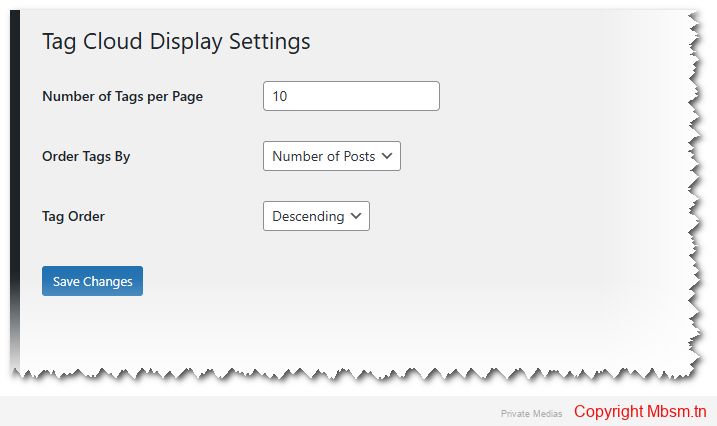


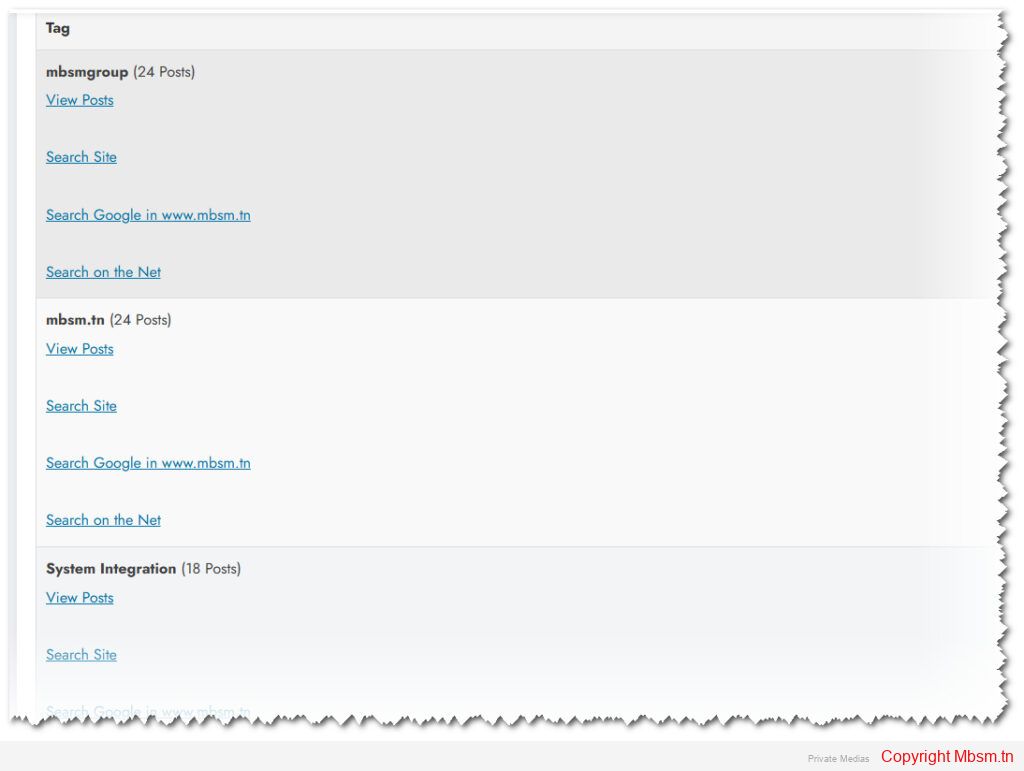
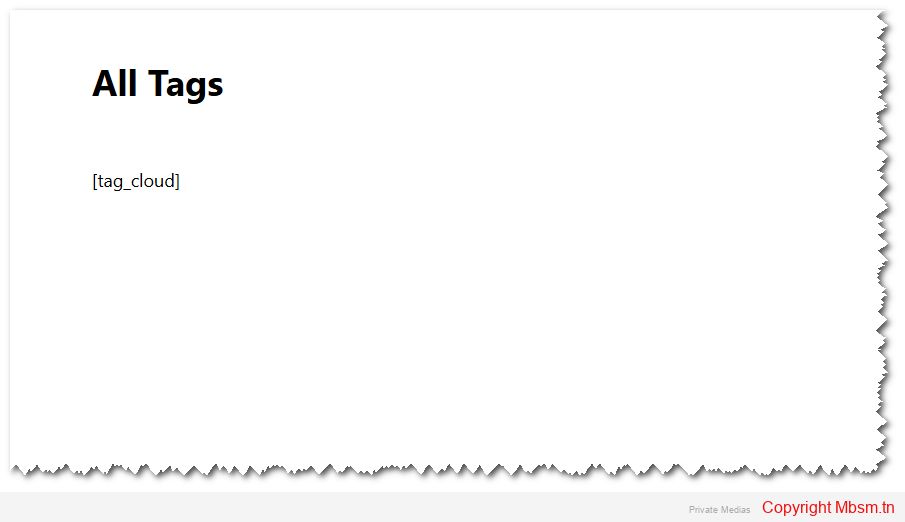
Mbsm.tn, Plugins wordpress 2024, Each tag is linked to a site-wide search page, By mbsmgroup

Display Tags at the Beginning or End of Posts

Introduction:

The “Display Tags at the Beginning or End of Posts” plugin is a highly useful tool for WordPress users who want to improve user experience and boost content engagement on their websites. This plugin allows users to display the tags associated with each post either at the beginning or at the end of the post. It offers various customization options for styling, ensuring that users can personalize the display according to their needs.

What is the “Display Tags at the Beginning or End of Posts” Plugin?

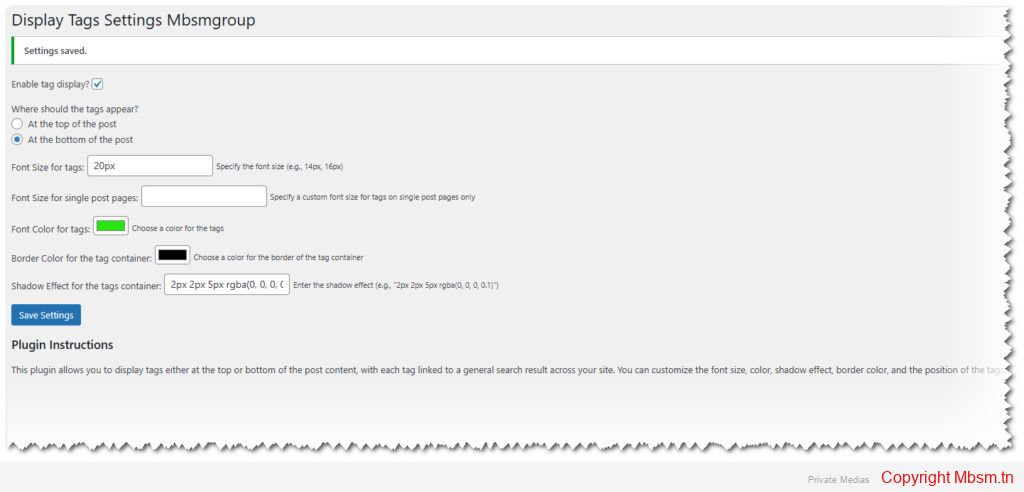
The “Display Tags at the Beginning or End of Posts” plugin is a tool that lets users display the tags associated with each post in a prominent and customizable way on their website. Users can choose whether to display the tags at the beginning or at the end of a post. They can also customize the tag’s text format, including font size, color, and shadow effects.

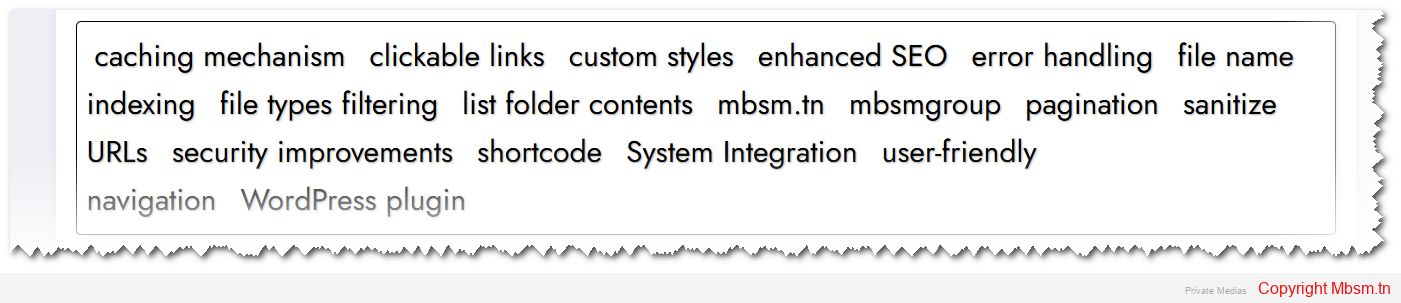
Additionally, the plugin automatically links the displayed tags to a site-wide search page. This means that when a user clicks on any tag, they are directed to a search results page showing all posts that share that tag. This feature allows visitors to easily explore related content, increasing engagement and time spent on the site.

Key Features of the Plugin:

  1. Display Tags in a Specific Position:

    • The user can choose whether to display the tags at the beginning or at the end of the post, offering flexibility in content arrangement to match the website’s style.

  2. Customization of Tag Appearance:

    • The plugin provides options for customizing font size, color, shadow effects, and the font size specifically for single posts (Single Posts), allowing for more control over the presentation.

  3. Tag Search Links:

    • Each tag is linked to a site-wide search page. This feature ensures that when users click on any tag, they are taken to a search results page displaying all posts containing that same tag. This helps users easily discover other articles related to the same topic.

  4. Full Control Over Appearance:

    • Through the plugin’s settings page in the WordPress dashboard, users can control options such as text color, font size, borders, and shadow effects for tags.

  5. Multi-Language Support:

    • The plugin fully supports both Arabic and English, making it ideal for multi-language websites.

  6. Ease of Customization:

    • The plugin can be easily customized through the settings page, making it suitable for even non-technical users.

  7. Safe and SEO-Friendly:

    • This plugin is developed with security and SEO in mind. It follows best practices to ensure that it does not conflict with other plugins or slow down your website. The display of tags is structured in a way that is friendly to search engines, improving the chances of your site ranking higher in search results.

How to Use the Plugin?

Using the plugin is simple and user-friendly. After installing and activating it, users can access its settings from the WordPress dashboard. From here, they can choose whether to display the tags at the beginning or at the end of the post. Users can also customize the font size, color, borders, and shadow effects for the tags.

Once the settings are saved, the tags will automatically appear in the posts according to the user’s preferences. Additionally, when users click on any tag, they are redirected to a search results page that shows all posts with that specific tag.

Plugin Developer:

This plugin was developed by [Mbsmgroup], a skilled developer with extensive experience in creating WordPress plugins. Users who wish to get in touch with the developer or request further customizations can visit their profile page through the following link:

Developer’s Profile Link

How to Extend the Plugin?

This plugin offers many opportunities for further development, and developers can add additional features based on their needs. Some potential enhancements include:

  1. Adding More Customization Options:

    • For example, adding animated effects to the tags when hovering over them.

  2. Integration with Other Plugins:

    • The plugin can be integrated with other WordPress plugins like SEO tools or performance optimization tools.

  3. Advanced Customization:

    • By modifying the plugin’s code, developers can add more specific display options, such as changing the tag layout or adding new effects.

  4. Translation to Additional Languages:

    • The plugin can be developed to support more languages, enhancing its usability for multi-language sites.

Download the Plugin:

If you would like to download the plugin, you can visit the following link:

Plugin Download Link

Safe and SEO-Friendly:

This plugin is designed with both security and SEO in mind. It follows best practices to ensure that it doesn’t create conflicts with other plugins or affect website performance. The tag display is structured in a way that search engines can easily index, helping to boost SEO. By linking tags to search results, this feature improves the chances of your content being discovered by a wider audience.

You can check the plugin’s security and performance status by visiting the link below for a detailed scan:

Plugin Security and SEO Check Link


Mbsm.tn, Plugins wordpress 2024, Add Links to all Images Automatic in Single Posts Plugin by MBSMGROUP

Add Links to Images in Single Posts Plugin by MBSMGROUP

The “Add Links to Images in Single Posts” plugin is a simple yet powerful tool designed to enhance the way images are presented and interactable on your WordPress website. This plugin automatically wraps all images in single posts with a clickable link that points to the image URL. Additionally, it uses the post title for the alt and title attributes of images, improving both SEO (Search Engine Optimization) and accessibility.

Key Features of the Plugin

  1. Automatic Linking for Images:

    • The plugin automatically converts all images in your single blog posts into clickable links, making the images more interactive and improving the user experience.
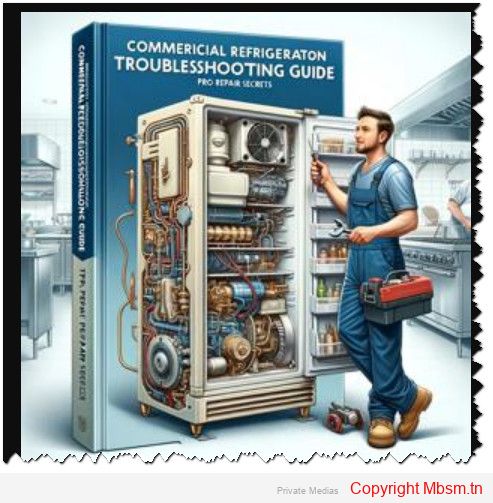
    • Each image is wrapped in a link pointing to the image’s URL, allowing users to click on an image to view it in its original size.

  2. SEO and Accessibility Benefits:

    • By adding the post title as the alt and title attributes to the images, the plugin improves SEO rankings and enhances accessibility.
    • Search engines use the alt attribute to understand the content of an image, which can help your site rank higher in search results.
    • The title attribute helps screen readers provide context to visually impaired users, making the website more accessible.

  3. Customizable Settings:

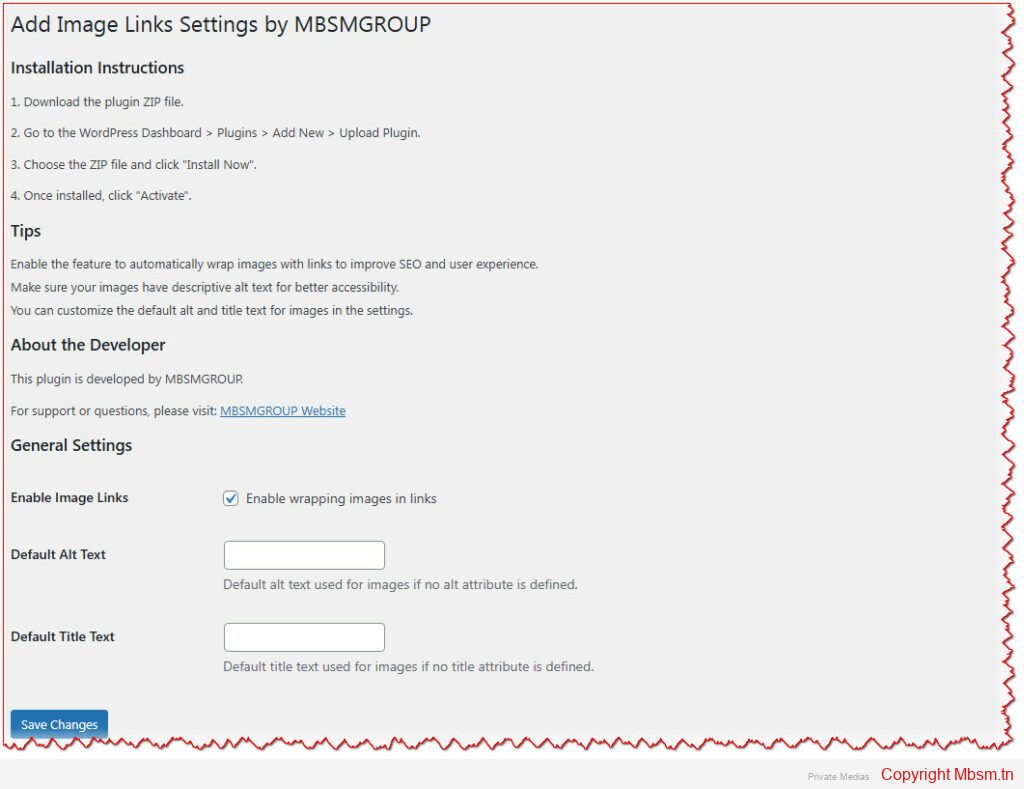
    • Enable/Disable Image Linking: The plugin provides an option to enable or disable the automatic linking of images.
    • Custom Alt and Title Text: You can customize the default alt and title text that is applied to the images, or leave them as the post title to make the images more descriptive.

  4. Easy Installation:

    • The plugin is straightforward to install and configure. Simply upload the plugin ZIP file to your WordPress dashboard, activate it, and the plugin will work automatically on all single posts.

  5. Developer-Friendly:

    • Built with best practices in mind, the plugin offers flexibility for developers who want to extend its functionality. It is fully compatible with WordPress’s coding standards and is easy to integrate with other plugins or custom themes.

How to Install the Plugin

  1. Download the plugin ZIP file from the WordPress repository or the plugin’s website.
  2. Go to your WordPress dashboard and navigate to Plugins > Add New.
  3. Click on Upload Plugin, choose the downloaded ZIP file, and click Install Now.
  4. After installation, click on Activate to enable the plugin on your site.
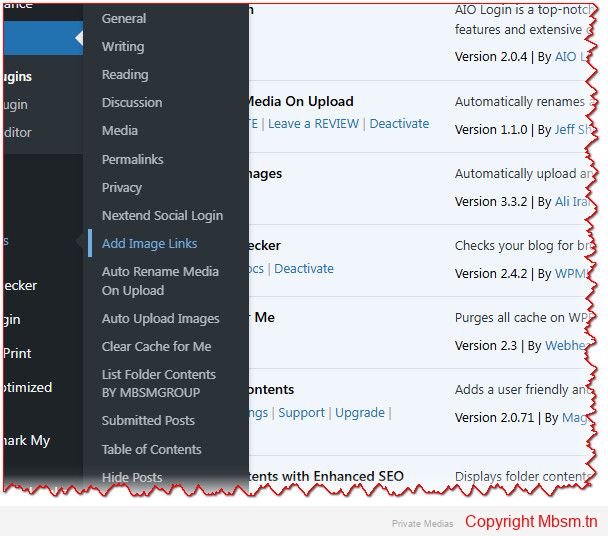
  5. Once activated, go to Settings > Add Image Links to customize the plugin’s settings to suit your needs.

Tips for Using the Plugin

  • Enable Image Linking: For better SEO and user experience, it’s recommended to enable the feature that wraps images with links. This will not only improve accessibility but also boost engagement by making your images clickable.
  • Customize Alt and Title Attributes: You can adjust the default alt and title text in the plugin settings to make your images more descriptive and useful for SEO.
  • Use Descriptive Titles: Always make sure your images have meaningful alt text, which helps both search engines and users understand what the image represents, especially for users with visual impairments.

About the Developer

This plugin is developed by MBSMGROUP, a leading provider of WordPress solutions. MBSMGROUP focuses on creating high-quality, user-friendly plugins that help webmasters and developers enhance their websites’ functionality.

For more information about the developer or to get support for the plugin, you can visit MBSMGROUP’s official website.

Conclusion

The “Add Links to Images in Single Posts” plugin is a great tool for anyone who wants to make their images more interactive and accessible. With easy installation, customizable settings, and SEO benefits, this plugin can significantly improve your website’s user experience and visibility in search engines. Whether you are a blogger, content creator, or website owner, this plugin is a valuable addition to your WordPress toolkit.


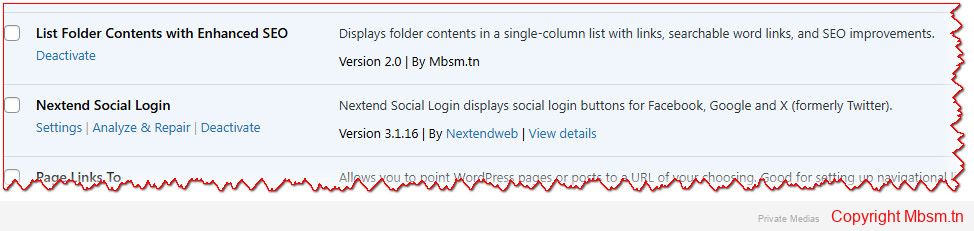
Mbsm.tn, Plugins wordpress 2024, List Folder Contents with Enhanced SEO, with pagination , Programmation Mbsmgroup

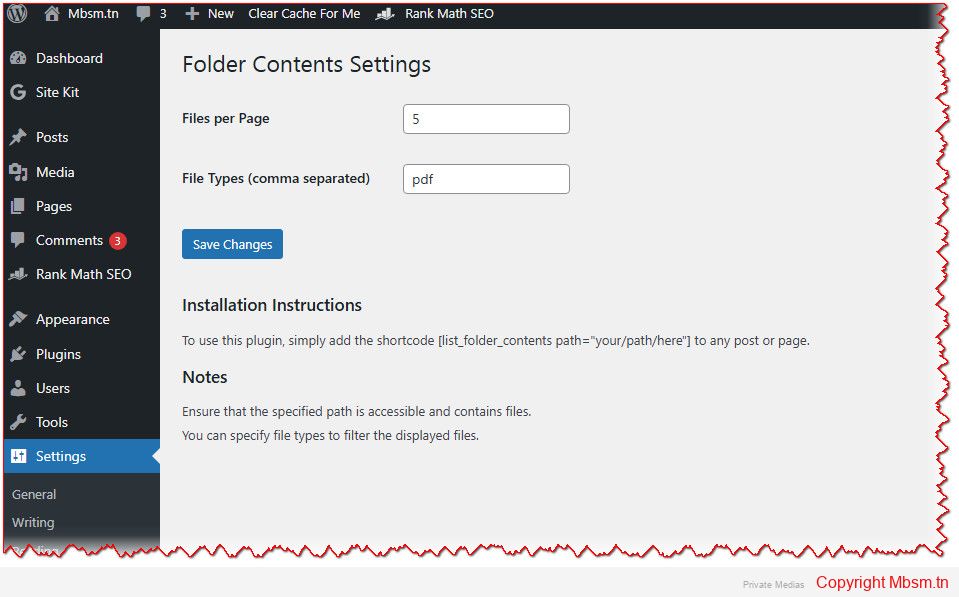
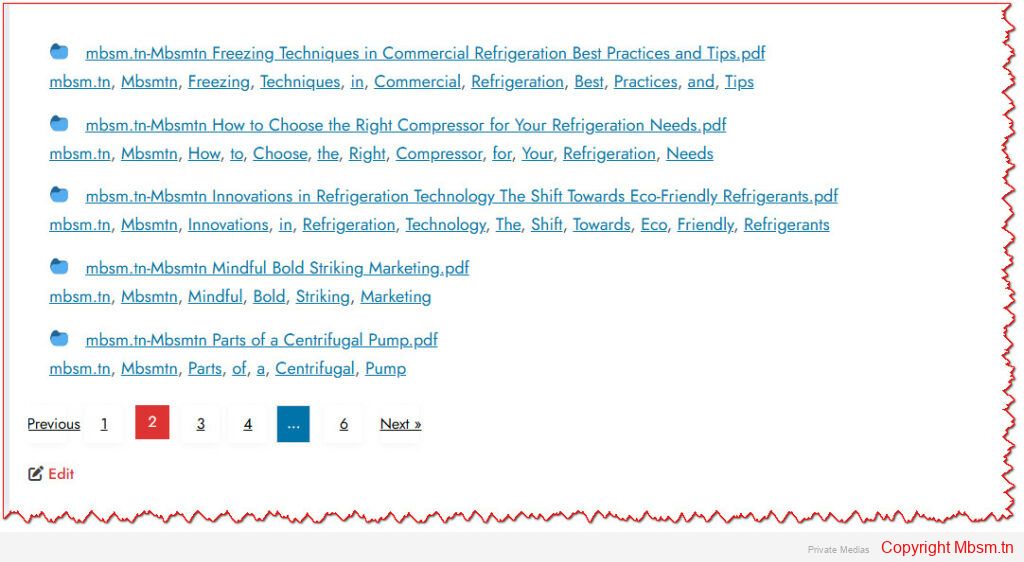
WordPress plugin that lists the contents of a specific folder on the server and displays them in a single-column list. The contents are displayed with clickable links, and each link also includes searchable word links for the filename split into individual words. Additionally, the plugin includes improvements for SEO and styling, including pagination.

Here’s a breakdown of what the code does:

Main Features:

  1. Shortcode for Listing Folder Contents:

    • The function list_folder_contents_shortcode takes a folder path as an attribute and generates a list of files within that folder.
    • It checks for invalid or inaccessible folder paths.
    • It allows filtering by file type, if specified in the plugin settings (lfc_file_types option).
    • It paginates the list of files to avoid loading too many files at once, based on the lfc_files_per_page option.
    • Each item in the list is clickable and links to a URL corresponding to that file.

  2. SEO Improvements:

    • The plugin splits the filenames into words and creates links for each word. This helps search engines index the individual words in the filenames, potentially improving SEO.
    • It uses title and alt attributes for SEO, making sure that the file names and their related words are indexed properly.

  3. Security Improvements:

    • The target="_blank" attribute is used for opening links in a new tab, along with rel="noopener noreferrer" to improve security when opening external links.
    • URLs are sanitized using esc_url(), and file names are sanitized using esc_html() and esc_attr().

  4. Styling:

    • Custom styles are added to the list of folder contents and pagination. The wp_head action hook is used to inject CSS directly into the head of the page.
    • Pagination controls are styled to ensure they are user-friendly and visually consistent.

Notes:

  1. Folder Path:

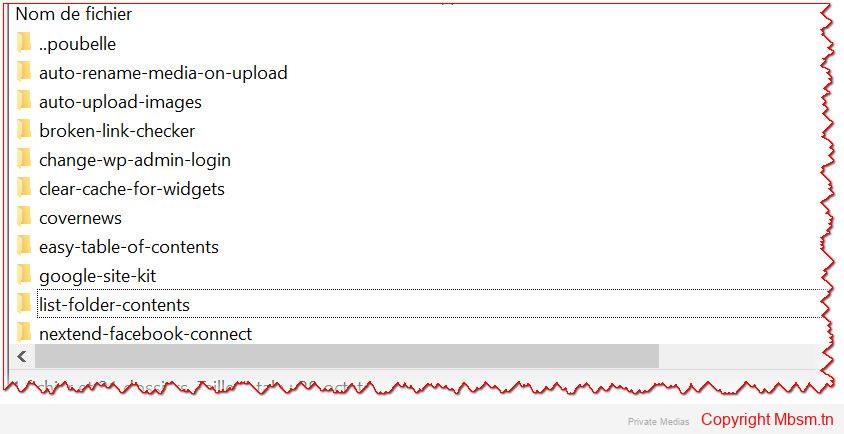
    • The folder path is relative to the WordPress installation directory (ABSPATH). The plugin ensures that the path is valid and accessible. If the path is invalid or not a directory, it returns an error message.

  2. Pagination:

    • The pagination is based on the paged query variable and the lfc_files_per_page option. This ensures that large directories are displayed over multiple pages rather than all at once.

  3. File Type Filtering:

    • The plugin can filter files based on specific extensions. These extensions are specified by the user in the plugin settings under lfc_file_types. The plugin splits the string by commas and filters files accordingly.

Possible Improvements or Considerations:

  • Security: The plugin checks for the validity of the folder path, but depending on where it’s used, you may want to further restrict access to specific directories to avoid potential misuse or unauthorized access to sensitive files.
  • Error Handling: The plugin currently returns a simple error message if the folder is invalid or inaccessible. You could enhance this by adding logging or more detailed error handling for debugging purposes.
  • Caching: If the folder contents do not change frequently, you may want to add a caching mechanism to speed up performance, especially if the plugin is used on a site with large directories.
  • Customization: You might want to allow users to customize the appearance further by adding more style options or enabling a custom CSS file.

Overall Summary:

This plugin provides a useful way to display folder contents in WordPress with SEO enhancements and simple pagination. The implementation is solid, and it’s easily extensible for further customization or improvement if necessary.

Installation Instructions

To use this plugin, simply add the shortcode [list_folder_contents path=”your/path/here”] to any post or page.

Notes

  • Ensure that the specified path is accessible and contains files.
  • You can specify file types to filter the displayed files.


Mbsm.tn, Understanding Low Pressure and High Pressure in Refrigeration Systems

Understanding Low Pressure and High Pressure in Refrigeration Systems

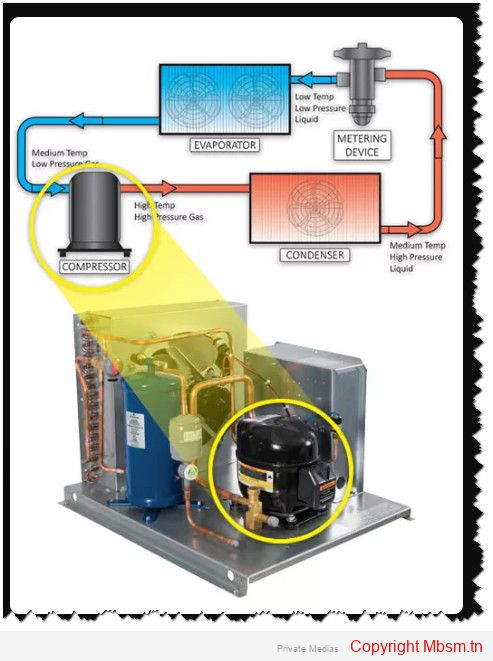
Refrigeration systems operate on the principles of thermodynamics, utilizing refrigerants that change states between liquid and gas to absorb and release heat. The system is characterized by two distinct pressure zones: low pressure (or evaporating pressure) and high pressure (or condensing pressure). Understanding these pressures is crucial for the efficient operation of refrigeration systems.

Low Pressure (Evaporating Pressure)

The low-pressure side of a refrigeration system includes components such as the evaporator and the suction line leading to the compressor. Here, the refrigerant exists primarily as a low-pressure gas. The key processes involved are:

  • Evaporation: The refrigerant absorbs heat from the environment (e.g., from inside a refrigerator) and evaporates, transitioning from a liquid to a gas. This process occurs at low pressure, which allows the refrigerant to absorb heat effectively at lower temperatures12.
  • Pressure Measurement: The evaporating pressure can be measured using a gauge placed between the metering device outlet and the compressor. Accurate readings are essential for diagnosing system performance1.

The evaporating pressure is critical because it dictates how effectively the refrigerant can absorb heat. As pressure decreases, the saturation temperature also decreases, allowing for cooling at lower temperatures

5.

High Pressure (Condensing Pressure)

The high-pressure side encompasses components such as the compressor discharge, condenser, and discharge line. The processes here include:

  • Compression: The compressor takes in low-pressure gas from the evaporator and compresses it into a high-pressure gas. This compression increases both the pressure and temperature of the refrigerant, preparing it for heat rejection in the condenser24.
  • Condensation: In the condenser, the high-pressure gas releases its heat to the external environment and condenses back into a liquid state. This phase change occurs at high pressure, which is necessary for effective heat transfer15.

The condensing pressure is measured anywhere between the compressor’s discharge valve and the entrance to the metering device. Proper monitoring ensures that the system operates within safe limits to prevent failures or leaks

3.

Key Differences Between Low and High Pressure

Feature Low Pressure (Evaporating) High Pressure (Condensing)
State of Refrigerant Primarily vapor Primarily liquid
Function Absorbs heat Releases heat
Measurement Location Between metering device and compressor Between compressor discharge and metering device
Pressure Range Typically lower than atmospheric Higher than atmospheric
Temperature Relation Lower saturation temperature Higher saturation temperature

Importance of Pressure Control

Maintaining appropriate pressure levels is vital for safe and efficient operation. Excessive pressures can lead to equipment failure or catastrophic events like refrigerant leaks or explosions

3. Therefore, components such as expansion valves or capillary tubes play critical roles in regulating these pressures by creating resistance to fluid flow, ensuring that refrigerants transition smoothly between high and low pressures throughout their cycle56.In summary, understanding low and high pressures in refrigeration systems is essential for their effective operation. These pressures dictate how refrigerants absorb and release heat, ultimately determining the efficiency of cooling systems.


Mbsm.tn, The Impact of Temperature Control on Compressor Performance in Refrigeration Systems

Overview of Temperature Control in Refrigeration Systems

Temperature control plays a crucial role in the performance and efficiency of refrigeration systems, particularly in relation to compressor operation. The compressor is a vital component that significantly influences the overall energy consumption and effectiveness of the refrigeration cycle. Understanding how temperature affects compressor performance can lead to improved energy efficiency and system reliability.

Key Factors Influencing Compressor Performance

1. Coefficient of Performance (CoP)
The Coefficient of Performance (CoP) is a primary measure of the efficiency of refrigeration systems, defined as the ratio of useful cooling provided to the work input by the compressor. A higher CoP indicates better energy efficiency. The CoP is influenced by two main temperatures: the evaporating temperature (TeTe​) and the condensing temperature (TcTc​). Specifically, an increase in TeTe​ or a decrease in TcTc​ enhances the CoP, with each 1°C change in these temperatures resulting in a 2-4% variation in energy use for constant cooling output

1.2. Operating Pressures
Operating pressures are closely linked to temperature control. Higher operating pressures improve heat transfer rates, which enhances overall system efficiency and reduces energy consumption. Conversely, low operating pressures can lead to increased energy usage as the compressor must work harder to achieve desired cooling effects3. This relationship underscores the importance of maintaining optimal pressure levels for effective temperature control.3. Variable Speed Compressors
The implementation of variable speed compressors allows for dynamic adjustment based on cooling demands. This adaptability helps maintain optimal performance across varying load conditions, thus improving CoP at partial loads12. For instance, reducing compressor speed can lead to significant energy savings while still meeting cooling requirements2.

Strategies for Effective Temperature Control

1. Adjusting Evaporating and Condensing Temperatures
Practical measures to optimize TeTe​ and TcTc​ include:

  • Improving evaporator performance: This can be achieved by ensuring proper sizing and minimizing fouling.
  • Controlling condensing temperatures: Avoiding excessive head pressure control can enhance system efficiency by allowing lower condensing temperatures when conditions permit1.

2. Enhanced Control Systems
Advanced control strategies that monitor parameters such as two-phase length and superheat temperature can optimize compressor operation. These systems can dynamically adjust compressor speed to maintain desired cooling capacities while maximizing efficiency

2.3. Regular Maintenance
Regular maintenance of refrigeration systems is essential to ensure that all components, including compressors, operate efficiently under varying temperatures. This includes cleaning heat exchangers and ensuring that expansion valves are properly set to minimize superheating1.

Conclusion

Temperature control is integral to optimizing compressor performance in refrigeration systems. By understanding the relationships between evaporating and condensing temperatures, operating pressures, and compressor dynamics, significant improvements in energy efficiency can be achieved. Implementing advanced controls and maintaining optimal operating conditions are essential strategies for enhancing the overall performance of refrigeration systems.


Mbsm.pro, Energy Efficiency in Refrigeration: How to Optimize Your Cooling Systems

Energy efficiency in refrigeration systems is crucial for reducing operational costs and minimizing environmental impact. Here are several strategies to optimize cooling systems effectively:

1. Upgrade to Energy-Efficient Models

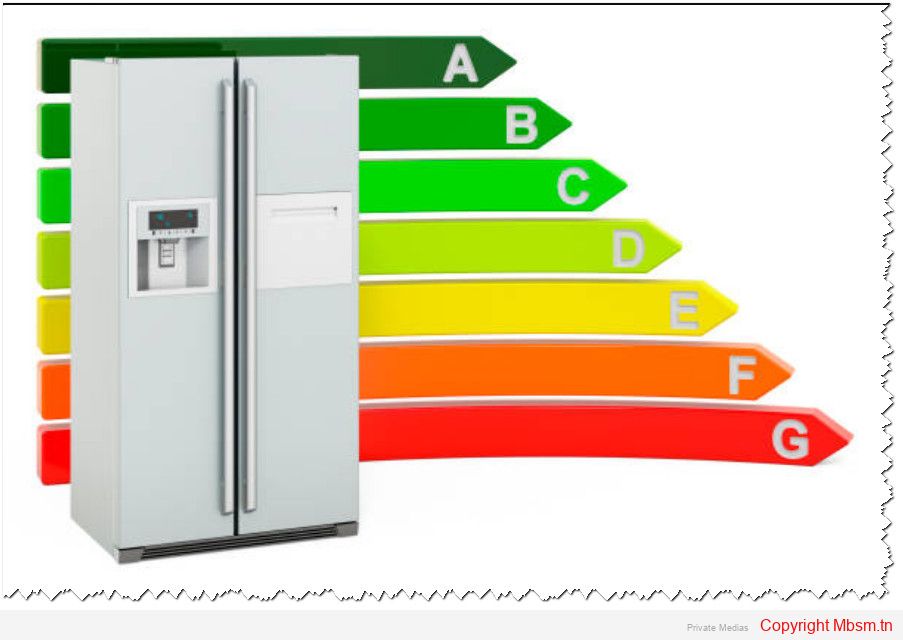
Investing in modern, energy-efficient refrigeration units can lead to significant savings. Look for models with high Energy Star ratings, as these indicate superior energy performance compared to older units12.

2. Regular Maintenance and Cleaning

Routine maintenance is essential for optimal performance. Regularly clean and inspect components such as coils, fans, and filters to prevent reduced airflow and increased energy consumption24. Neglecting maintenance can result in higher operational costs and decreased efficiency.

3. Improve Insulation

Effective insulation is vital for maintaining desired temperatures and preventing energy loss. Ensure that doors, seals, and insulation materials are in good condition. Upgrading to high-quality insulation can significantly enhance energy efficiency by reducing the workload on refrigeration systems12.

4. Optimize System Design

The design of a refrigeration system should be tailored to the specific needs of the business, including size, layout, and cooling requirements. Proper component selection and effective layout planning contribute to improved performance and reduced energy consumption14.

5. Enhance Airflow and Ventilation

Proper positioning of refrigeration units is critical. Ensure they are located in well-ventilated areas away from heat sources like ovens or direct sunlight. Clear airflow pathways around the units to prevent overheating and excessive energy use24.

6. Manage Temperature Setpoints

Setting appropriate temperature levels based on the specific requirements of stored products can greatly improve efficiency. Avoid setting temperatures lower than necessary, as this can lead to excessive energy use12.

7. Limit Door Openings

Frequent door openings allow warm air to enter refrigerated spaces, increasing the workload on cooling systems. Train staff to minimize door openings and organize storage efficiently to reduce the time doors are open24.

8. Utilize Advanced Technologies

Incorporate advanced technologies such as smart controls, energy-efficient compressors, and LED lighting. These innovations can enhance the performance of refrigeration systems while reducing energy consumption12.

9. Implement Heat Recovery Systems

Consider using heat recovery systems that capture waste heat generated by refrigeration processes for other purposes, such as water heating or space heating. This approach not only reduces overall energy consumption but also improves system efficiency24.

10. Monitor Performance Regularly

Continuous monitoring of refrigeration system performance helps identify inefficiencies and areas for improvement. Implementing control systems that optimize operation under varying conditions can lead to better energy management56.By applying these strategies, businesses can significantly enhance the energy efficiency of their refrigeration systems, leading to lower costs and a reduced environmental footprint.


Mbsm.tn, Freezing Techniques in Commercial Refrigeration: Best Practices and Tips

In the food industry, effective freezing techniques are essential for preserving product quality, safety, and nutritional value. Various methods are employed in commercial refrigeration to achieve optimal freezing results. Here’s an overview of the best practices and tips for freezing techniques.

Common Freezing Methods

  1. Blast Freezing

    • Description: This method involves circulating cold air over food products to rapidly remove heat. Cold air is blown from one end of the chamber while warm air is sucked from the other, passing through cooling coils that contain refrigerants15.
    • Advantages: Economical and effective for large batches of food; modern upgrades have led to quicker freezing times with technologies like Individual Quick Freezing (IQF)13.
    • Disadvantages: Slower than some advanced methods, leading to potential quality loss due to prolonged exposure to varying temperatures1.

  2. Cryogenic Freezing

    • Description: Utilizes liquid nitrogen or carbon dioxide to freeze products at extremely low temperatures (around -90°C) almost instantaneously18.
    • Advantages: Rapid freezing minimizes ice crystal formation, preserving texture and flavor. Ideal for high-quality products such as seafood38.
    • Disadvantages: Higher operational costs compared to traditional methods.

  3. Contact Freezing

    • Description: Involves placing food in direct contact with cold surfaces or plates, often using water as a freezing medium1.
    • Advantages: Efficient for bulk products and minimizes oxidation and dehydration1.
    • Disadvantages: Requires thawing of entire blocks even if only a portion is needed, which can compromise quality upon refreezing1.

Best Practices for Effective Freezing

  • Rapid Freezing: Freeze food as quickly as possible after preparation to maintain freshness and minimize ice crystal formation. Ideally, food should not sit at room temperature for more than two hours before freezing9.
  • Temperature Control: Ensure that freezers operate at safe temperatures (below -18°C) to effectively halt microbial growth and preserve food quality. Regularly check and calibrate thermostats69.
  • Airflow Optimization: Maintain proper airflow within freezers by avoiding obstructions near evaporators. This ensures efficient cooling and uniform freezing rates across all products25.
  • Proper Storage Techniques:

    • Keep freezers well-stocked to maintain thermal mass, which helps stabilize temperatures during door openings.
    • Organize food items to prevent cross-contamination and facilitate airflow around products49.

  • Regular Maintenance: Conduct routine inspections of refrigeration systems, including cleaning condenser coils and checking refrigerant levels. Address any issues promptly to prevent breakdowns and ensure consistent performance6.

Conclusion

Implementing these freezing techniques and best practices in commercial refrigeration can significantly enhance food preservation efforts. By choosing the right freezing method, maintaining optimal conditions, and ensuring regular maintenance, businesses can deliver high-quality products while minimizing waste and maximizing efficiency.


Mbsm.tn, Innovations in Refrigeration Technology: The Shift Towards Eco-Friendly Refrigerants

    The refrigeration industry is undergoing a significant transformation driven by the urgent need for sustainability and energy efficiency. This shift is characterized by the adoption of eco-friendly refrigerants and innovative technologies that aim to mitigate environmental impacts.

    Key Innovations in Refrigeration Technology

    1. Eco-Friendly Refrigerants
    The move away from traditional refrigerants, particularly hydrofluorocarbons (HFCs), is a major trend in the refrigeration sector. HFCs have high global warming potential (GWP) and are being replaced by more sustainable alternatives such as hydrofluoroolefins (HFOs), ammonia, and carbon dioxide (CO2). These natural refrigerants have significantly lower GWP and ozone-depleting potential, making them environmentally friendly options for modern refrigeration systems

    14.2. Smart Refrigeration Systems
    The integration of smart technologies, including the Internet of Things (IoT) and artificial intelligence (AI), is revolutionizing refrigeration. Smart systems allow for real-time monitoring and control, optimizing energy consumption and enhancing operational efficiency. For instance, these systems can detect temperature fluctuations and alert users to potential malfunctions, reducing the risk of spoilage and improving overall reliability135.3. Magnetic Refrigeration
    Magnetic refrigeration is emerging as a promising alternative to conventional vapor compression systems. This technology utilizes the magnetocaloric effect, where a magnetic field is applied to a refrigerant to induce cooling. Magnetic refrigeration has the potential to lower energy consumption significantly while eliminating the need for harmful refrigerants134.4. Energy-Efficient Technologies
    Modern refrigeration systems are increasingly designed with energy efficiency in mind. Innovations such as variable speed compressors, advanced insulation materials, and heat recovery techniques are being implemented to reduce energy usage. These advancements not only decrease operational costs but also contribute to lower carbon footprints256.5. Advanced Control Systems
    The adoption of advanced control systems powered by IoT enables predictive maintenance and optimization of refrigeration processes. These systems analyze performance data in real-time, allowing for adjustments that minimize energy waste and prevent refrigerant leaks, which are significant contributors to greenhouse gas emissions48.

    The Future of Refrigeration

    As global demand for refrigeration continues to rise due to factors like urbanization and climate change, the focus on sustainable practices will remain paramount. The ongoing development of eco-friendly refrigerants and energy-efficient technologies is crucial for addressing both environmental challenges and regulatory compliance, such as those outlined in the Kigali Amendment to the Montreal Protocol

    46.In conclusion, the refrigeration industry is at a pivotal point where innovation is not only enhancing operational efficiency but also significantly reducing environmental impacts. The transition towards eco-friendly refrigerants and advanced technologies marks a critical step toward a sustainable future in refrigeration.


    Mbsm.pro, The Importance of Regular Maintenance for Refrigeration Systems

    The Importance of Regular Maintenance for Refrigeration Systems

    Regular maintenance of refrigeration systems is crucial for ensuring their efficiency, longevity, and overall performance. This practice not only helps prevent breakdowns but also enhances food safety and reduces operational costs. Below are the key reasons why regular maintenance is essential for refrigeration systems.

    1. Prevents Breakdowns and Reduces Repair Costs

    Regular maintenance checks can identify and address minor issues before they escalate into major problems. This proactive approach minimizes the risk of unexpected breakdowns, which can lead to costly repairs and operational disruptions123. For instance, simple issues like clogged filters or low refrigerant levels can cause significant system failures if neglected7.

    2. Ensures Food Safety

    Refrigeration systems play a critical role in maintaining the safety and quality of food products. A malfunctioning system can lead to unsafe temperatures, resulting in food spoilage and potential health hazards for consumers. Regular maintenance helps ensure that refrigeration units operate within safe temperature ranges, thus safeguarding food quality and compliance with health regulations1610.

    3. Enhances Energy Efficiency

    Over time, dust and debris can accumulate in refrigeration systems, obstructing airflow and reducing efficiency. Regular cleaning of components such as coils and fans ensures optimal performance, leading to lower energy consumption and reduced utility bills. Efficient systems also contribute to a smaller carbon footprint, making regular maintenance an environmentally friendly choice356.

    4. Extends Equipment Lifespan

    Investing in regular maintenance significantly prolongs the lifespan of refrigeration equipment. By addressing minor issues promptly and maintaining system cleanliness, businesses can delay the need for expensive replacements and ensure that their equipment remains operational for longer periods234.

    5. Minimizes Downtime

    Unforeseen equipment failures can disrupt business operations, leading to revenue loss. Regular maintenance reduces the likelihood of sudden breakdowns, thereby minimizing downtime and ensuring that businesses can continue operating smoothly357. This is particularly important in commercial settings where refrigeration is critical.

    6. Promotes Compliance with Regulations

    Many industries are subject to strict regulations regarding food safety and equipment standards. Regular maintenance helps ensure compliance with these regulations, reducing the risk of fines or penalties associated with non-compliance due to equipment failures68.

    Best Practices for Refrigeration Maintenance

    To maximize the benefits of regular maintenance, consider implementing the following best practices:

    • Schedule Routine Inspections: Engage licensed technicians for regular checks to identify potential issues early.
    • Keep Areas Clean: Maintain cleanliness around refrigeration units to prevent debris from entering the system.
    • Monitor Temperature and Humidity: Regularly check these levels to ensure optimal performance.
    • Train Employees: Educate staff on proper usage and maintenance practices for refrigeration units12.

    In conclusion, regular maintenance of refrigeration systems is not merely a routine task; it is an essential investment that ensures operational efficiency, food safety, and cost-effectiveness in the long run. By adhering to a structured maintenance schedule, businesses can safeguard their assets while promoting a safe environment for their customers.