Mbsm.tn, plugin wordpress, from Mbsmgroup, MBSM Pages Grid Pro, show all pages in one page Grid
Category: Machine Learning

Advanced Architectural Framework: Modular Content Routing with MBSM Pages Grid Pro
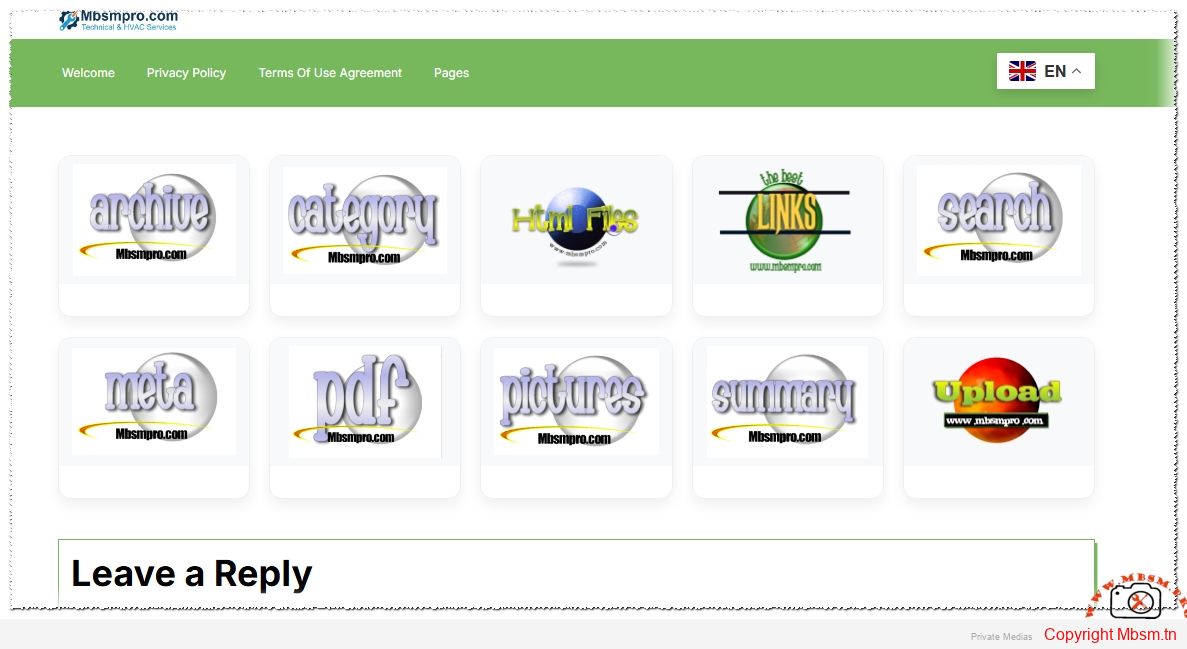
In the demanding environment of modern enterprise web development, the transition from simple hierarchical lists to a high-performance, modular content hub is essential. The MBSM Pages Grid Pro is not merely a visual enhancement; it is a sophisticated engineering solution designed to optimize the Document Object Model (DOM) while providing a granular level of control over user navigation paths. By decoupling visual presentation from the core WordPress page structure, this framework allows for a highly customized, data-driven user experience that prioritizes both speed and semantic clarity.
Technical Engineering: Logic and Data Integrity
The plugin is architected on a centralized data management model. Instead of polluting the post_meta table with fragmented entries, it utilizes the WordPress Options API to store all grid configurations in a single, high-performance array. This design choice significantly reduces database I/O overhead. Furthermore, the implementation of defensive programming techniques—such as wp_kses_post for data sanitization and strict nonce verification—ensures that the system maintains a high security posture against unauthorized administrative requests.
Comparative Engineering: Modular Grids vs. Standard Navigation
| Feature Capability | Standard WP Navigation | MBSM Pages Grid Pro |
| Data Structure | Linear / Nested List | Multi-dimensional Grid |
| Media Integration | Manual CSS/HTML | Native Media API Support |
| Routing Logic | Strict Internal Permalinks | Hybrid Internal/External Links |
| Layout Control | Theme Dependent | CSS Grid (Self-Optimizing) |
| Admin UX | Drag-and-Drop (limited) | Centralized Configuration Hub |
Quantitative Performance and Efficiency Metrics
From a structural engineering standpoint, the impact on site performance must be minimal. The MBSM Pages Grid Pro utilizes a modern CSS Grid layout that adapts fluidly to the viewport without the need for heavy JavaScript libraries. This results in faster Largest Contentful Paint (LCP) times and a more responsive interface across all device categories.
Performance Analysis Across CMS Architectures
| Metric | Static Page Templates | Generic Builder Grids | MBSM Pro Implementation |
| Server Load | Low | High (DB Intensive) | Ultra-Low (Single Option) |
| Asset Size | Variable | Large (CSS/JS Bloat) | Minimal (Inline CSS Logic) |
| DOM Depth | Shallow | Deep (Nested Divs) | Optimized (Semantic Cards) |
| Adaptability | Hardcoded | Configurable | Dynamic & Programmable |
The Programmer’s Perspective: Clean Code and Scalability
Professional programming is the art of building systems that are as sustainable as they are functional. The programmer behind MBSM Pages Grid Pro has prioritized the use of native WordPress hooks, such as admin_init and admin_enqueue_scripts, to ensure that the plugin remains compatible with future core updates. By focusing on “clean code” principles, the architecture allows for easy expansion—such as adding AJAX-based filtering or custom taxonomy support—without refactoring the base logic.
Installation and Technical Implementation Guide
Building the Environment (Installation)
-
Direct Integration: Deploy the plugin directory to
/wp-content/plugins/. -
Activation Sequence: Upon activation via the WordPress Dashboard, the system initializes the
mbsm_pages_grid_pro_dataoption key. -
Environment Check: Ensure the server environment supports PHP 7.4+ to leverage optimized array functions for sorting and sanitization.1
Utilization and Operational Procedures
-
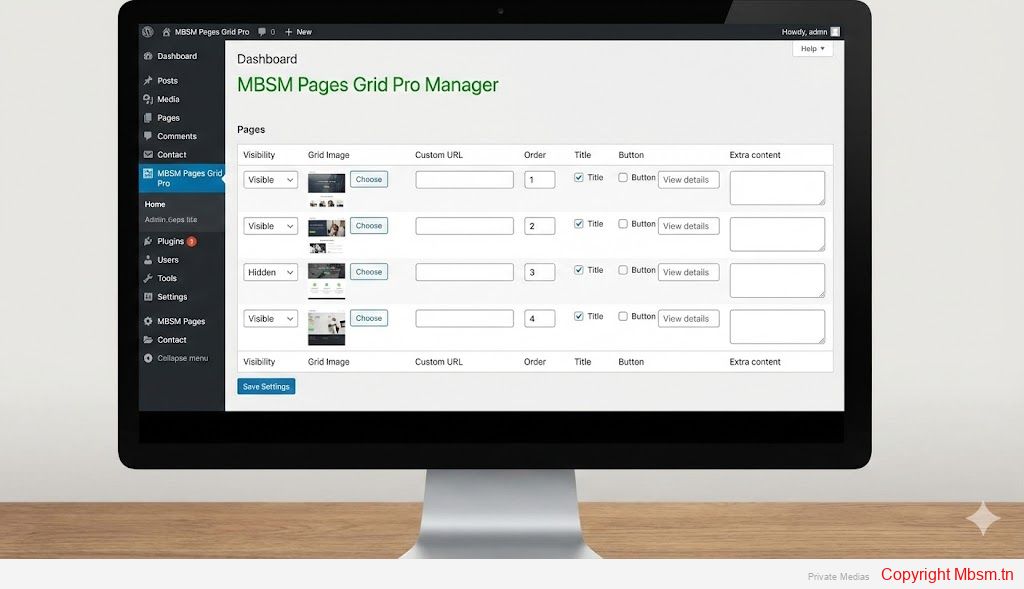
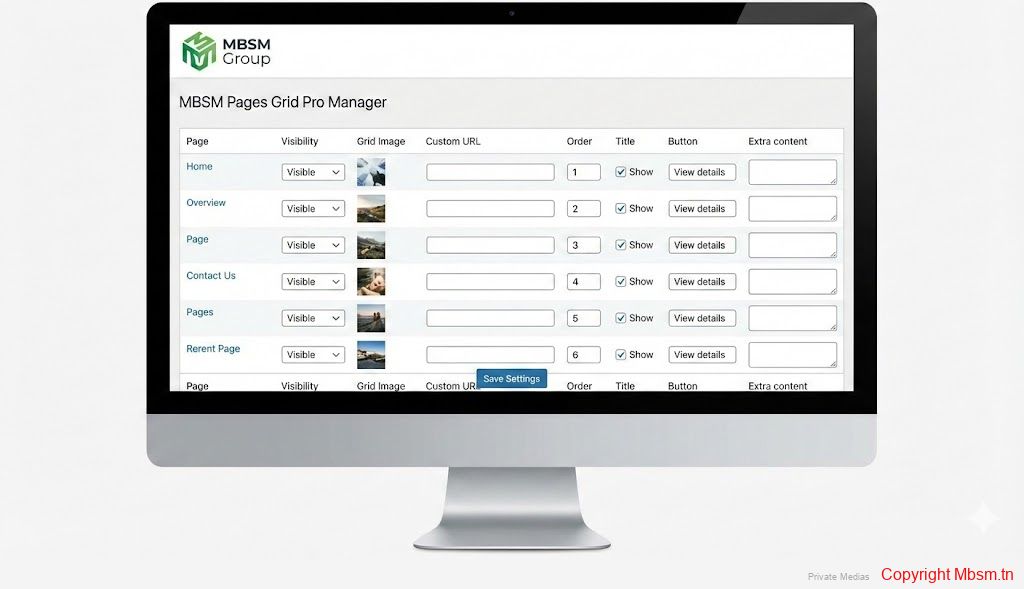
Configuration Interface: Navigate to the dedicated “MBSM Pages Grid Pro” menu in the admin sidebar.
-
Data Population: For each page, you can independently assign a custom thumbnail from the Media Library, define a redirected URL, and set the display order.
-
Shortcode Deployment: The system is triggered via the
[mbsm_pages_grid_pro]shortcode. This can be embedded in any standard page or post editor.
Shortcode Attributes and Logic
To customize the output on specific sections of your site, the shortcode supports a column attribute:
-
[mbsm_pages_grid_pro columns="3"]: Generates a balanced three-column layout. -
[mbsm_pages_grid_pro columns="4"]: Optimizes space for high-density content portfolios.
Strategic Insights and Benefits
-
SEO Siloing: Use the grid to create “siloed” content sections, which helps search engine crawlers understand topical authority and improves internal link equity.2
-
Conversion Optimization: By using the “Custom Button Text” and “Extra Content” fields, you can turn a simple link into a high-converting call to action.
-
Operational Agility: Use the visibility toggle to pre-configure product or service cards and launch them instantly without touching the page’s “Publish” status.
Engineer’s Notice: For the highest aesthetic standard, it is recommended to use images with a consistent 4:3 or 16:9 aspect ratio. This ensures the grid maintains a perfect vertical rhythm across all browser resolutions.
Focus Keyphrase
Professional WordPress Grid Architecture with MBSM Pages Grid Pro Plugin
SEO Title
MBSM Pages Grid Pro: Advanced Modular Page Management for WordPress
Meta Description
Optimize your WordPress site with MBSM Pages Grid Pro. A professional engineering solution for creating responsive page grids, custom URLs, and visual navigation hubs with high-performance code.
Slug
mbsm-pages-grid-pro-technical-architecture-guide
Tags
Mbsmgroup, Mbsm.pro, mbsmpro.com, mbsm, WordPress Programming, Web Engineering, PHP Development, CSS Grid, Responsive Design, Professional Plugin, Media Management, SEO Optimization
Excerpt
MBSM Pages Grid Pro is a high-performance modular framework designed for professional WordPress environments. By decoupling visual presentation from site structure, it offers developers a robust tool for creating SEO-friendly, data-driven page hubs. This guide details the installation, programming logic, and strategic implementation of this sophisticated grid system.
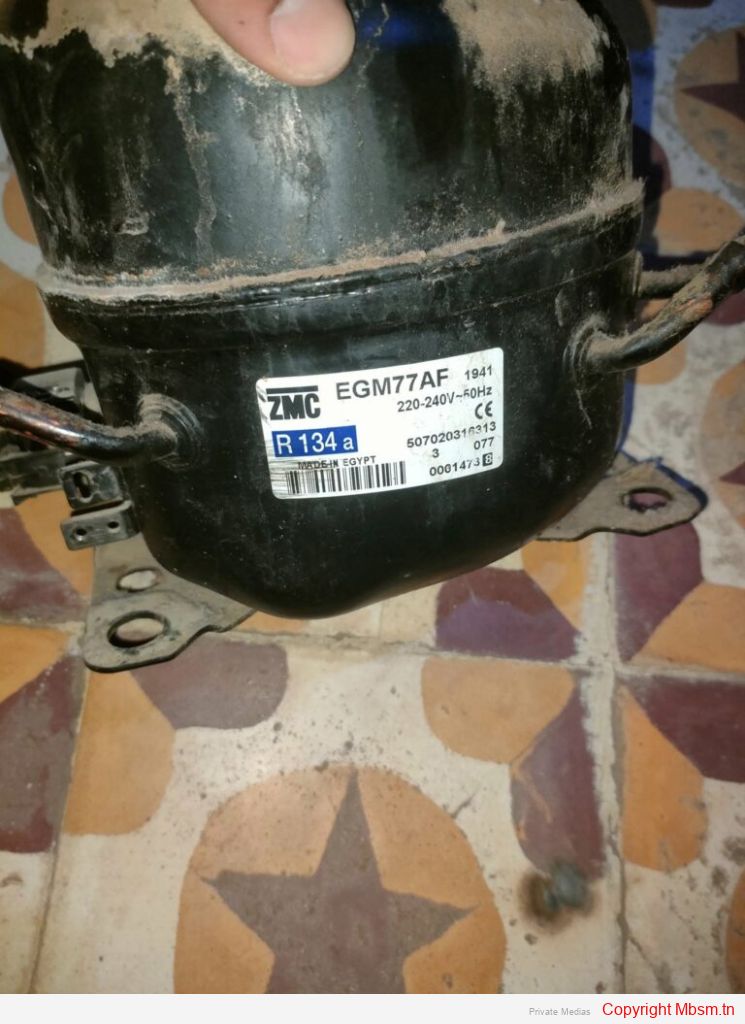
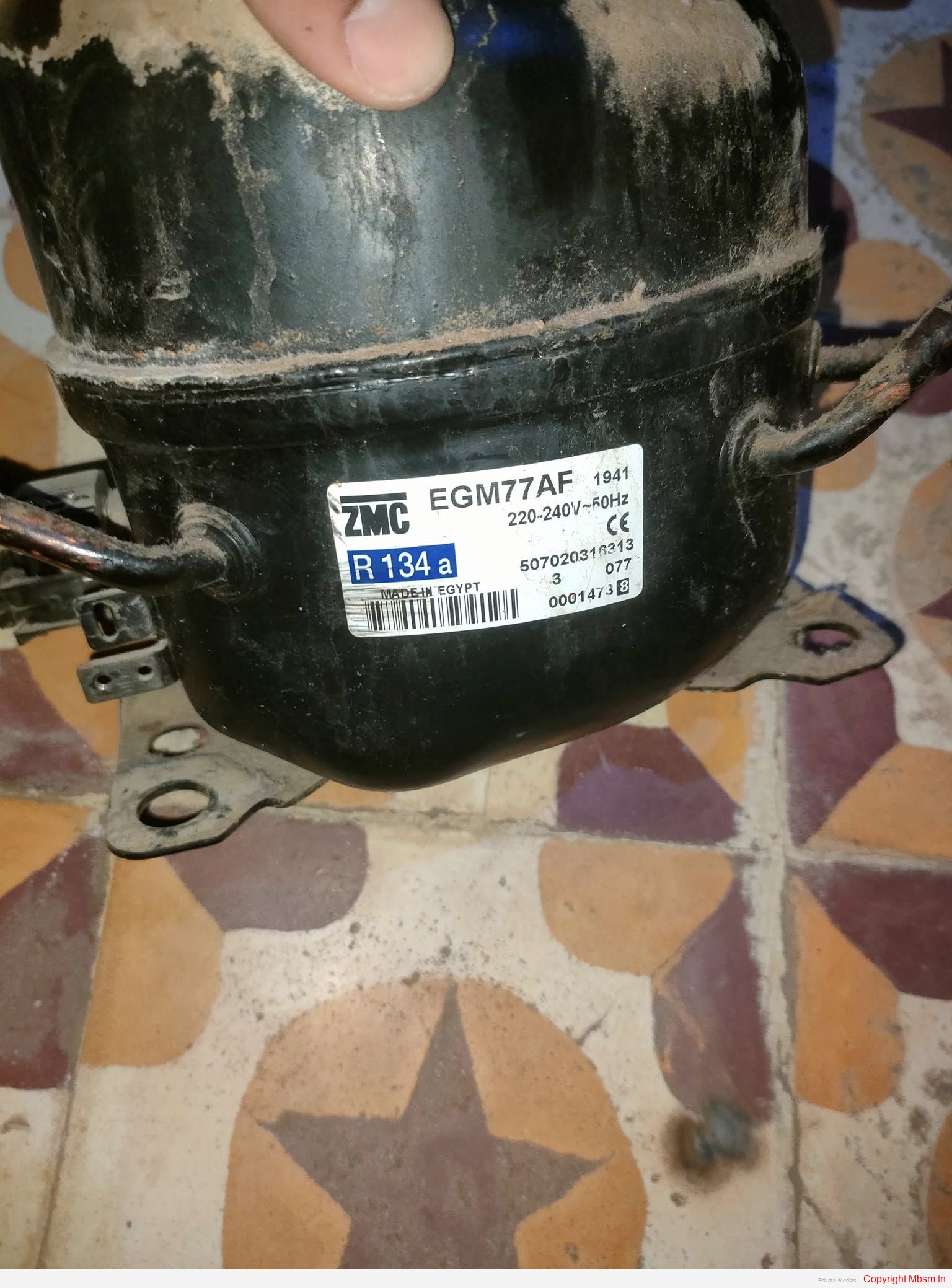
File Pdf : Compressor-GM35AF-GM55AF-GM70AF-GM66AF-GM75AF-GM77AF-GM80AF-GM91AF-GM80AF
Category: FIles
Mbsm.tn, Simple photo gallery script with no data requirements, script php by Mbsmgroup
Category: Machine Learning
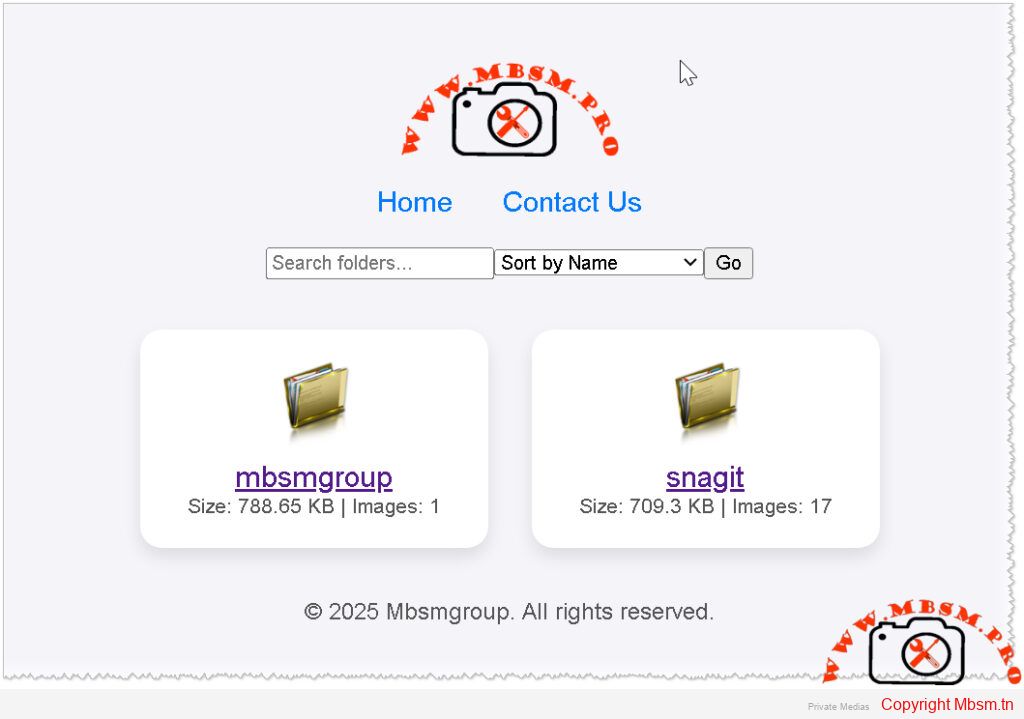
Simple Photo Gallery Script with No Database Requirements
In the digital age, having an efficient and user-friendly photo gallery is essential for showcasing images, whether for personal use or professional portfolios. Mbsmgroup has developed a simple yet powerful photo gallery script in PHP that requires no database, making it easy to set up and maintain. This article explores the features and benefits of this script and how it can be integrated into your website.
Features of the Photo Gallery Script
-
No Database Required:
- The script operates without the need for a database, simplifying installation and reducing server requirements.
- Images and metadata are managed directly through the file system, making it lightweight and efficient.
-
Easy Integration:
- The script can be easily integrated into any existing PHP-based website.
- Minimal configuration is required, allowing you to get your gallery up and running quickly.
-
Dynamic Image Display:
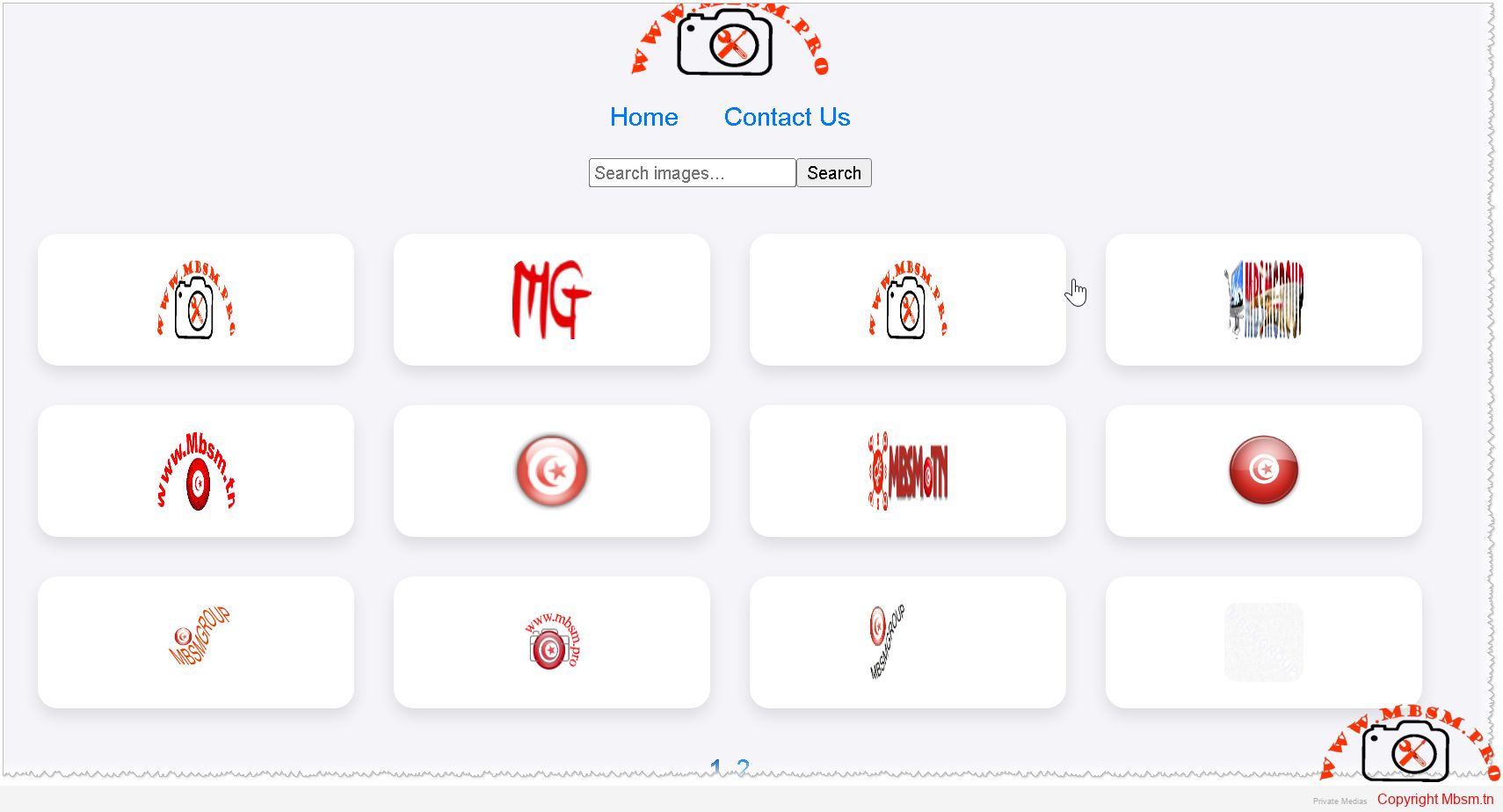
- The gallery dynamically displays images from specified directories.
- Supports various image formats, including JPG, PNG, and GIF.
-
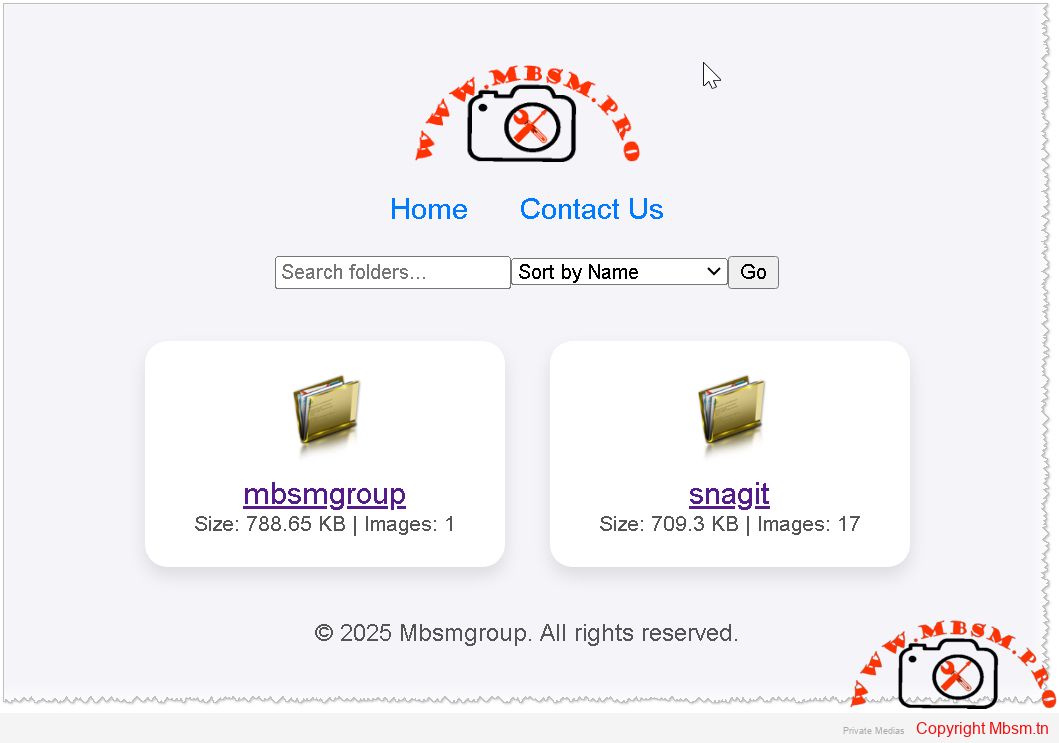
Folder Viewing:
- Displays folders with their sizes and image counts.
- Allows sorting by name, size, or the number of images within each folder.
-
Search and Pagination:
- Includes a search functionality to find specific images or folders.
- Implements pagination for better navigation through large image collections.
-
Image Details:
- Provides detailed information about each image, such as title, size, date, and copyright.
- Users can copy the image link with a single click.
-
Caching for Performance:
- Utilizes caching to store folder sizes and image counts, improving load times and performance.
- Cache is refreshed periodically to ensure accuracy.
-
Responsive Design:
- The gallery is designed to be responsive, ensuring a seamless viewing experience on various devices.
- Compatible with modern browsers and optimized for mobile use.
Benefits of Using Mbsmgroup’s Photo Gallery Script
-
Cost-Effective:
- Eliminates the need for database management, reducing hosting costs.
- Ideal for small to medium-sized websites looking for a straightforward solution.
-
User-Friendly:
- Intuitive interface for both administrators and end-users.
- Easy to navigate and search for specific images or folders.
-
Customizable:
- The script can be customized to match the look and feel of your website.
- Developers can extend functionality with additional features as needed.
-
Secure:
- Built with security best practices in mind to protect your images and data.
- Regular updates ensure compatibility with the latest PHP versions.
How to Get Started
-
Download the Script:
- Visit mbsm.tn to download the photo gallery script.
- Mbsm-tn-private-media_picture
-
Upload to Your Server:
- Upload the script files to your web server using FTP or your hosting control panel.
-
Configure Settings:
- Edit the configuration file to specify the directories containing your images.
- Customize the appearance and functionality as desired.
-
Launch Your Gallery:
- Access the gallery through your website and start showcasing your images.
Conclusion
Mbsmgroup’s photo gallery script offers a simple and efficient solution for managing and displaying images online. With no database requirements and a host of user-friendly features, it is an ideal choice for anyone looking to enhance their website with a dynamic photo gallery. Try it out today and experience the difference for yourself.
For more information and to download the script, visit mbsm.tn.
Mbsm.tn, Plugins wordpress 2025, resolve problem, Autoloaded options could affect performance, by Mbsmgroup
Category: Machine Learning
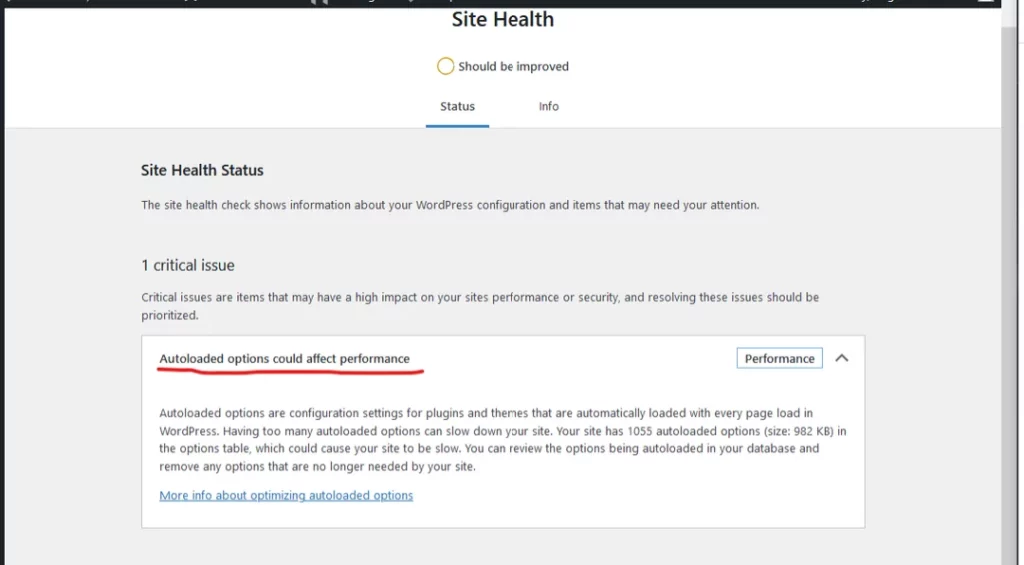
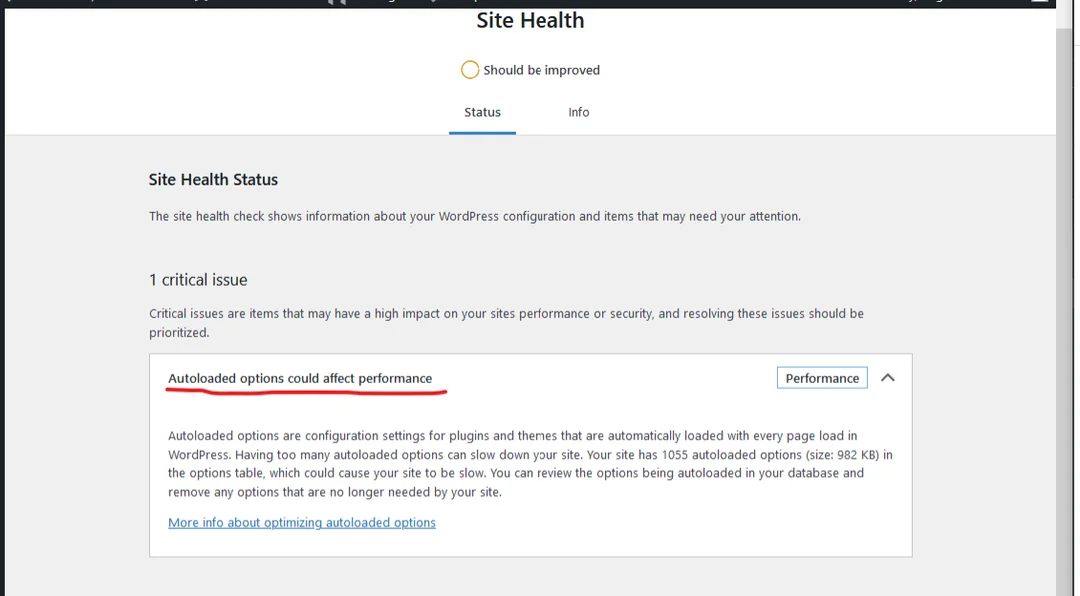
Optimizing WordPress Performance: Managing Autoloaded Options with Mbsm.tn Plugins in 2025
In the ever-evolving digital landscape, website performance remains a critical factor in user engagement and search engine rankings. As we move into 2025, managing autoloaded options in WordPress has become increasingly important to ensure optimal performance. Mbsm.tn, a leading provider of WordPress solutions, has developed innovative plugins to address this issue effectively.
Understanding Autoloaded Options
Autoloaded options in WordPress are settings stored in the database that are loaded on every page request. While this feature is convenient for accessing frequently used data, it can also lead to performance issues if not managed properly. Over time, the accumulation of autoloaded options can slow down your website, affecting user experience and SEO.
The Impact of Autoloaded Options on Performance
-
Increased Load Times: Excessive autoloaded options can increase the time it takes for your website to load, leading to higher bounce rates.
-
Database Bloat: Unnecessary options clutter the database, making it less efficient and harder to maintain.
-
Resource Consumption: Autoloaded options consume server resources, which can be particularly problematic for high-traffic websites.
Mbsm.tn’s Solution: Optimizing Autoloaded Options
Mbsm.tn has developed a suite of WordPress plugins designed to optimize autoloaded options and enhance overall website performance. Here’s how these plugins can help:
-
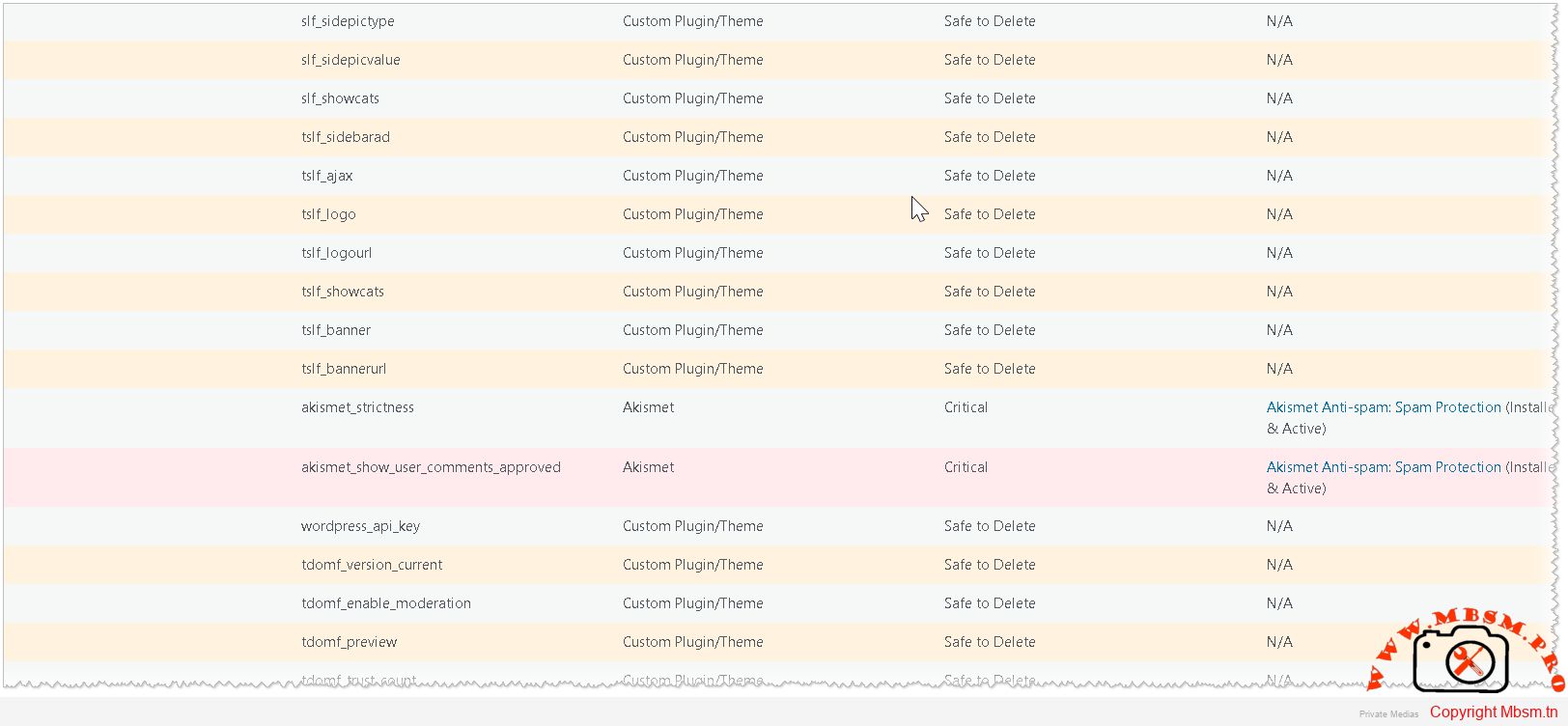
Autoloaded Options Manager: This plugin provides a user-friendly interface to view and manage autoloaded options. It allows administrators to identify and safely delete non-critical options, reducing database bloat and improving load times.
-
Performance Monitor: Integrated with the Autoloaded Options Manager, this plugin continuously monitors website performance and provides insights into how autoloaded options are affecting load times. It offers actionable recommendations to optimize performance further.
-
Automatic Optimization: For users who prefer a hands-off approach, Mbsm.tn’s plugins offer automatic optimization features. These features intelligently identify and remove unnecessary autoloaded options, ensuring your website remains fast and responsive.
Implementing Mbsm.tn’s Plugins
To resolve performance issues related to autoloaded options, follow these steps:
-
Install the Plugins: Download and install Mbsm.tn’s Autoloaded Options Manager and Performance Monitor plugins from the WordPress plugin repository.
-
Analyze Autoloaded Options: Use the Autoloaded Options Manager to review the options currently being autoloaded. The plugin highlights critical options that should not be deleted, ensuring the safety of your website.
-
Optimize and Monitor: Delete non-critical options and use the Performance Monitor to track the impact on your website’s load times. Continuously monitor and optimize as needed.
Conclusion
In 2025, managing autoloaded options is crucial for maintaining a high-performing WordPress website. Mbsm.tn’s innovative plugins provide a comprehensive solution to optimize autoloaded options, ensuring your website remains fast, efficient, and user-friendly. By implementing these tools, you can significantly improve your website’s performance and provide a better experience for your visitors.
Embrace the future of WordPress optimization with Mbsm.tn and take your website to new heights in 2025!
Download
Mbsm-tn-private-media_option-manager
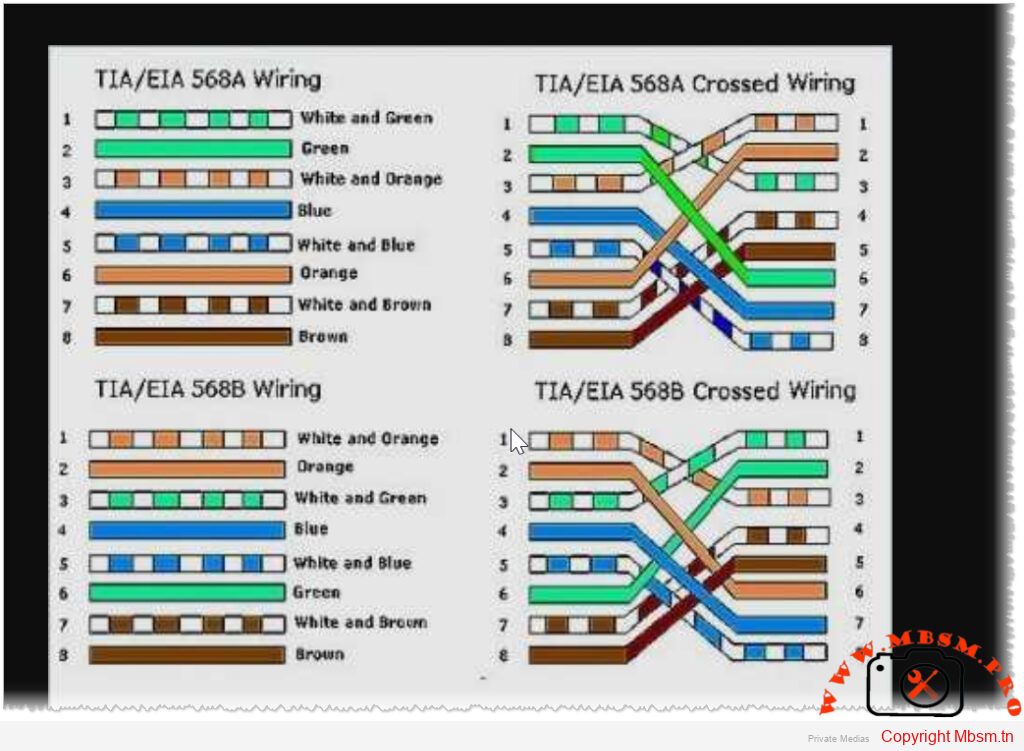
T568A and T568B Standards
Category: Microservices
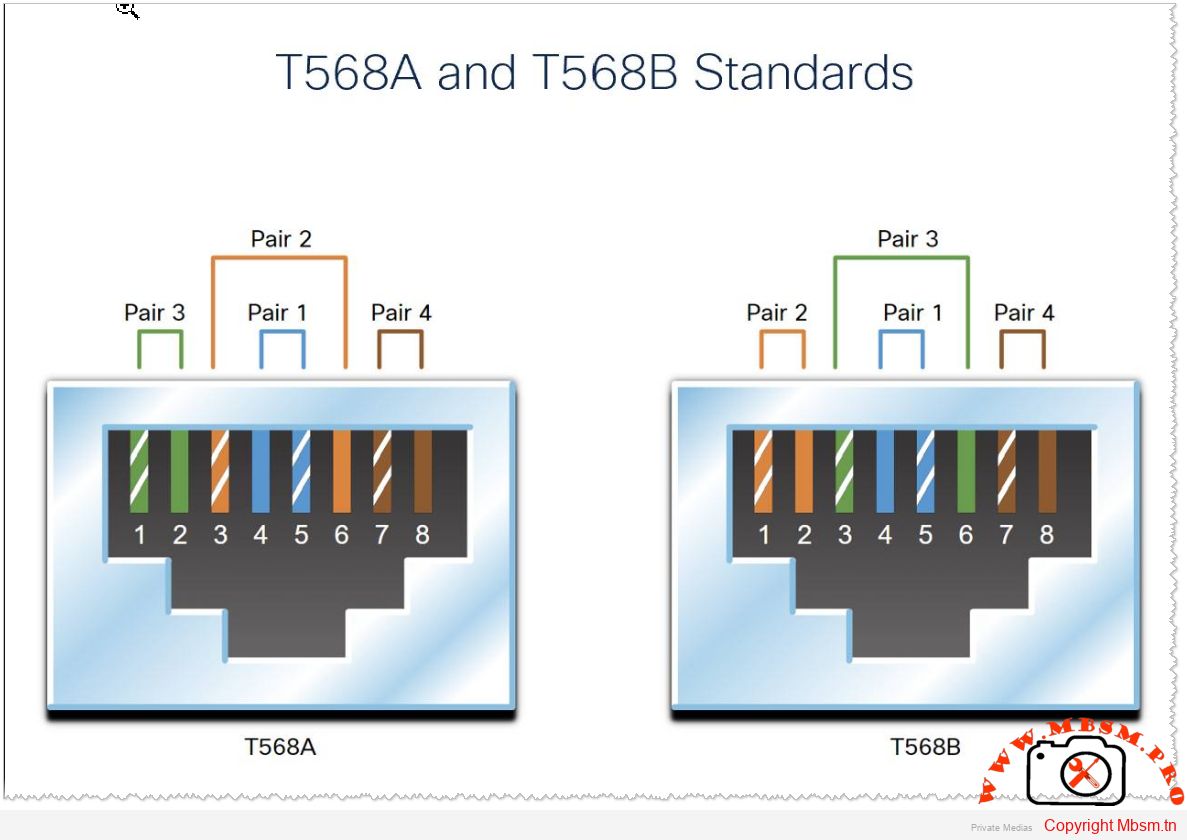
The T568A and T568B standards refer to two wiring schemes used for terminating twisted-pair Ethernet cables, specifically Category 5e, 6, and higher types of network cables. These standards define the pin assignments for the eight conductors in a typical RJ-45 connector, which is commonly used for Ethernet connections.
Key Points:
- T568A and T568B are both valid standards for wiring Ethernet cables.
- The main difference between them is the arrangement (or color order) of the individual wires within the cable.
- Both standards provide identical performance when used correctly.
- The choice between T568A and T568B often comes down to organizational preference or existing infrastructure.
T568A Wiring Standard
The T568A standard was introduced earlier and is sometimes preferred in government or older installations. Here’s the pinout:
T568B Wiring Standard
The T568B standard is more widely used today, especially in commercial and residential settings. Here’s the pinout:
Differences Between T568A and T568B
- The primary difference lies in the positions of the orange and green wire pairs:
- In T568A , the green pair is on pins 1 and 2, while the orange pair is on pins 3 and 6.
- In T568B , the orange pair is on pins 1 and 2, while the green pair is on pins 3 and 6.
- The blue pair remains unchanged in both standards, occupying pins 4 and 5.
Important Considerations
-
Consistency : It doesn’t matter which standard you use as long as you are consistent across your entire network. Mixing T568A and T568B within the same installation can cause connectivity issues unless a crossover cable is intentionally created.
-
Crossover Cables : A crossover cable swaps the transmit and receive pairs at each end. This is typically achieved by using one end with T568A and the other with T568B. Modern Ethernet switches and devices often auto-negotiate this, so crossover cables are less common now.
-
Straight-Through Cables : Most Ethernet cables are straight-through, meaning both ends follow the same wiring standard (either T568A or T568B).
-
Industry Preference : T568B is more prevalent in modern installations due to its alignment with telephone wiring conventions.
By adhering to these standards, you ensure reliable and consistent network performance. Always verify the wiring scheme during installation to avoid potential errors
Mbsm.tn, php, script, Word Processor, File Generator, Transform, Words, into Custom Files
Category: Machine Learning
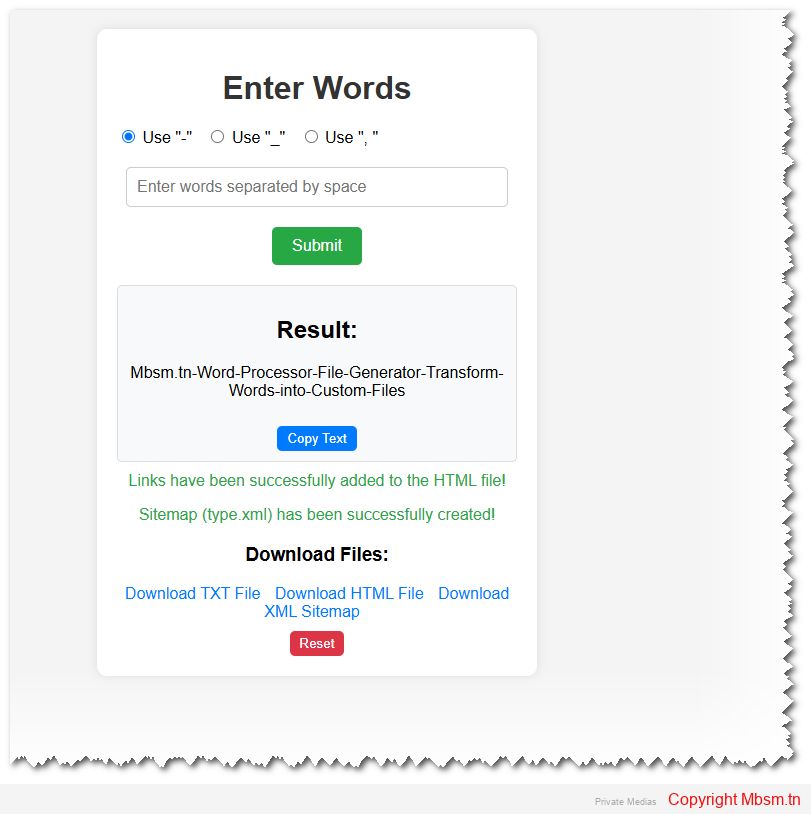
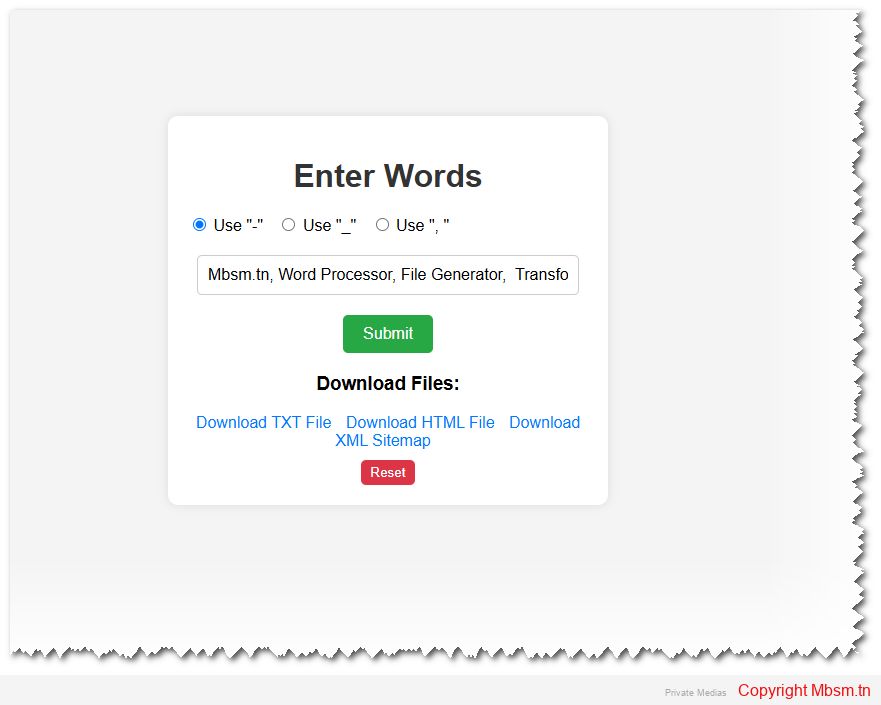
This HTML and PHP code creates a web application that allows users to input words, process them based on a selected separator, and generate downloadable files (type.txt, type.htm, and type.xml). Below is a breakdown of the functionality and structure of the code:
Key Features
- User Input Form:
- Users can enter words separated by spaces.
- Users can select a separator (
-,_, or,) to process the input.
- Processing Logic:
- The PHP script processes the input words:
- Replaces spaces and non-alphanumeric characters with the selected separator.
- Removes duplicate separators.
- Trims separators from the beginning and end of the string.
- The PHP script processes the input words:
- File Generation:
type.txt: Saves the processed words in a text file.type.htm: Generates HTML links for each word and appends them to an HTML file.type.xml: Creates an XML sitemap from the links intype.htm.
- Download Links:
- Users can download the generated files (
type.txt,type.htm, andtype.xml).
- Users can download the generated files (
- Copy to Clipboard:
- Users can copy the processed words to the clipboard.
- Reset Functionality:
- A “Reset” button clears the input and hides the result and success messages.
Code Structure
- HTML:
- The form collects user input and allows selection of a separator.
- The result is displayed dynamically using PHP.
- Buttons for copying text and resetting the page are provided.
- CSS:
- Styling is applied to make the interface clean and user-friendly.
- Buttons, input fields, and result containers are styled for better usability.
- PHP:
- Handles form submission.
- Processes the input words and generates the required files.
- Dynamically displays the result and success messages.
- JavaScript:
- Provides functionality for copying text to the clipboard.
- Resets the page when the “Reset” button is clicked.
How It Works
- User Interaction:
- The user enters words and selects a separator.
- On submission, the form sends the data to the server using the
POSTmethod.
- Server-Side Processing:
- The PHP script processes the input:
- Replaces spaces and non-alphanumeric characters with the selected separator.
- Removes duplicate separators and trims the result.
- The processed words are saved to
type.txt. - Links are generated for each word and appended to
type.htm. - A sitemap (
type.xml) is created from the links intype.htm.
- The PHP script processes the input:
- Dynamic Output:
- The processed words are displayed on the page.
- Success messages are shown for file generation.
- File Downloads:
- Users can download the generated files using the provided links.
- Copy and Reset:
- The “Copy Text” button copies the processed words to the clipboard.
- The “Reset” button clears the input and hides the result.
Potential Improvements
- Validation:
- Add input validation to ensure only valid characters are entered.
- Prevent duplicate entries in the generated files.
- Error Handling:
- Improve error handling for file operations (e.g., file permissions, disk space).
- Security:
- Sanitize user input to prevent XSS or other attacks.
- Restrict file access to authorized users.
- User Experience:
- Add a loading indicator while processing the input.
- Provide feedback for file downloads (e.g., “Download started”).
- File Management:
- Allow users to clear or reset the generated files.
- Provide an option to view the contents of the files directly in the browser.
Example Usage
- Input:
- Words:
hello world example - Separator:
-
- Words:
- Output:
- Processed Words:
hello-world-example type.txt: Containshello-world-example.type.htm:Contains links like:htmlCopy<a href="https://www.mbsm.tn/?s=hello" target="_blank">https://www.mbsm.tn/?s=hello</a><br> <a href="https://www.mbsm.tn/?s=world" target="_blank">https://www.mbsm.tn/?s=world</a><br> <a href="https://www.mbsm.tn/?s=example" target="_blank">https://www.mbsm.tn/?s=example</a><br>Run HTMLtype.xml: Contains a sitemap with the links.
- Processed Words:
- Download:
- Users can download
type.txt,type.htm, andtype.xml.
- Users can download
This application is a simple yet effective tool for processing words and generating files for further use. It can be extended or customized based on specific requirements.
Mbsm.tn, Script, PHP, Search, for Word, in many ,moteur, Links, By MBSMGROUP
Category: Machine Learning
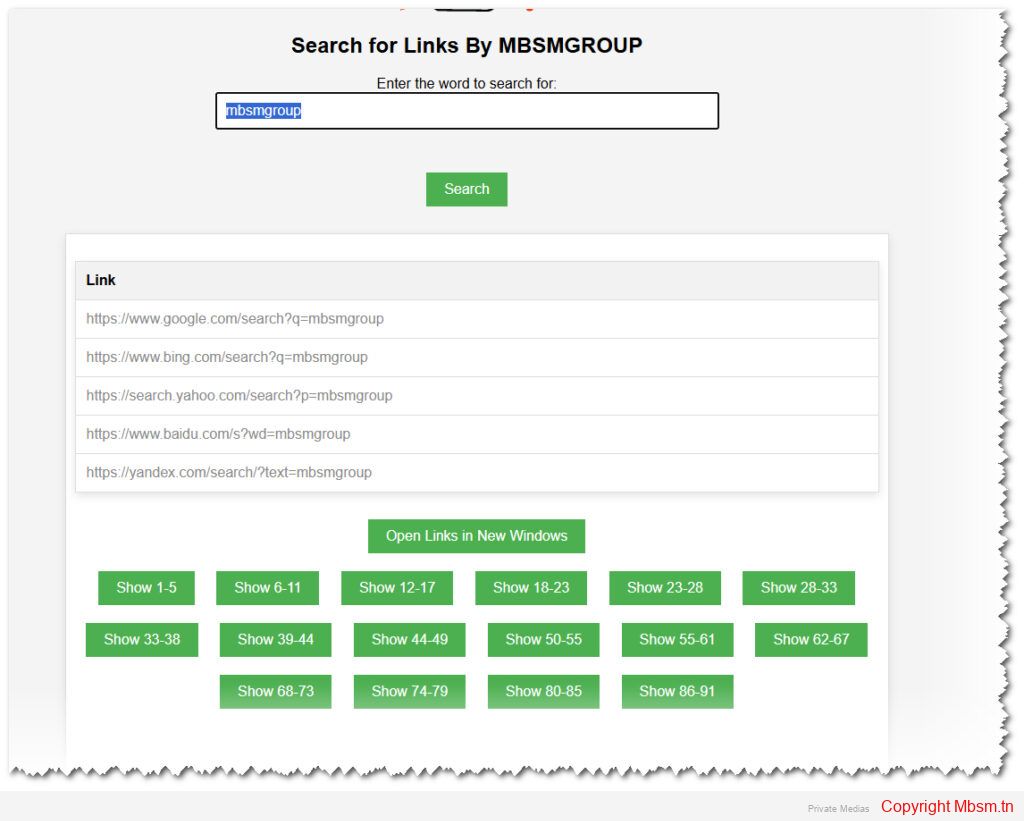
Search for Word in Many Links By MBSMGROUP
Live Show
Introduction
In the realm of web development, PHP (Hypertext Preprocessor) has stood the test of time as a reliable and robust scripting language. It’s particularly known for its ease of integration with HTML and its ability to handle server-side operations efficiently. In this article, we delve into a practical example of PHP with a custom script by MBSMGROUP to illustrate its utility in web applications.
A Practical PHP Script
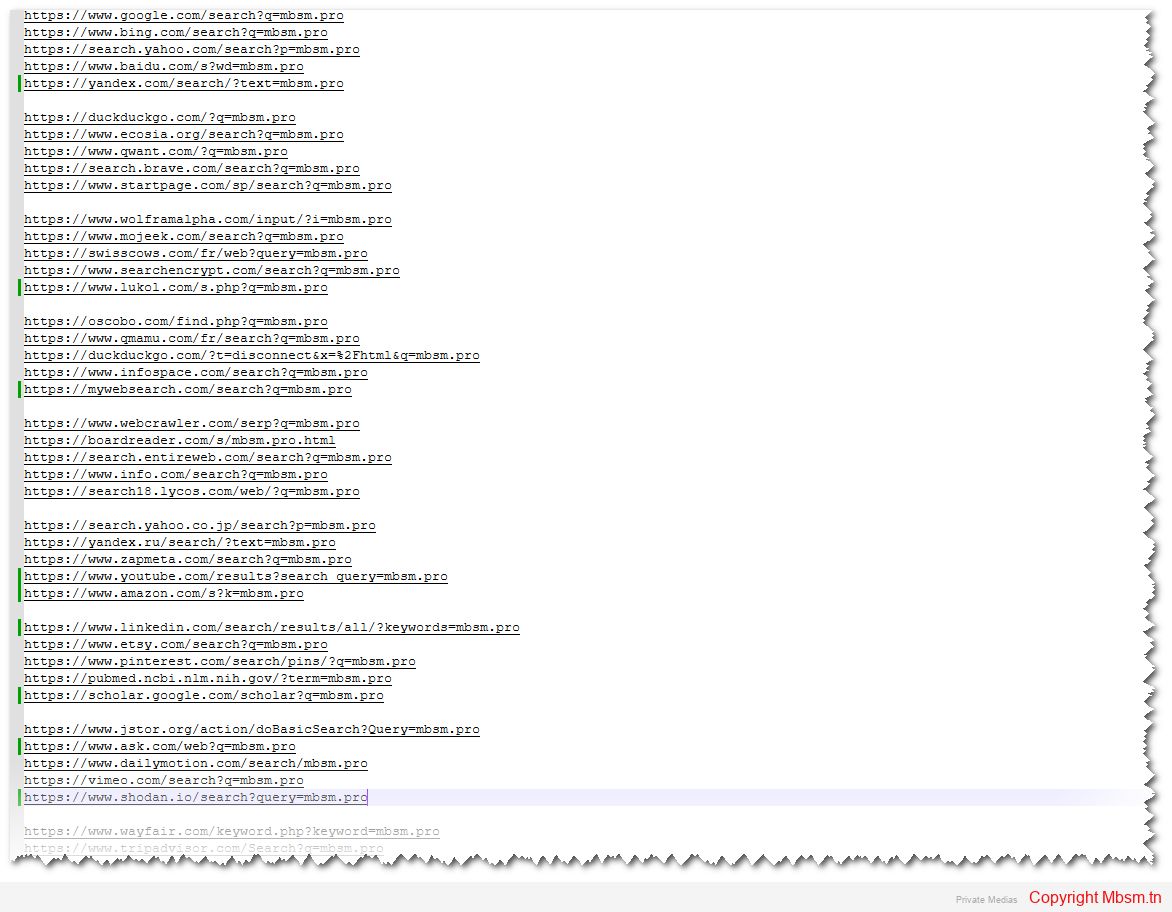
Consider a scenario where you need to search through a file of links, replace specific keywords, and display the modified links dynamically on a web page. This can be achieved with a well-structured PHP script combined with HTML and JavaScript.
The Script Breakdown
- File Handling and Validation
- The script begins by checking if the specified file (
lien.txt) exists. If the file is missing, an error message is displayed. - Next, it reads the file’s contents into a variable for processing.
- The script begins by checking if the specified file (
- Handling User Input
- The script then handles POST requests, ensuring the input is sanitized to prevent security vulnerabilities like XSS (Cross-Site Scripting).
- It validates that the input contains only letters and numbers, enhancing security.
- Link Modification
- The core functionality of the script involves reading each line of the file and checking if it contains the keyword
mbsm.pro. - If a match is found, it replaces
mbsm.prowith the user-provided input and stores the modified links.
- The core functionality of the script involves reading each line of the file and checking if it contains the keyword
- Displaying Results
- The modified links are displayed dynamically on the same page, with a clean and user-friendly interface.
- Pagination is implemented to handle large sets of links, ensuring a smooth user experience.
User Interface Enhancements
The script also focuses on providing a visually appealing user interface:
- Pagination and Movable Box: These elements enhance usability, allowing users to navigate through links easily and move the results box as needed.
- Dynamic Display: JavaScript is used to dynamically display the modified links and enable features like opening all links in new windows.
Conclusion
This practical example showcases the power of PHP in handling server-side logic, validating user input, and dynamically updating web pages. By combining PHP with HTML and JavaScript, developers can create interactive and user-friendly web applications. Whether you’re a seasoned developer or just starting, PHP’s versatility and ease of use make it an invaluable tool in your web development arsenal.

https://mbsm.tn/wp-content/uploads/uploads/Mbsm-tn-media-_Search-for-Links-By-MBSMGROUP.zip
Mbsm.tn, Hiding, Theme, Update, Notices, in WordPress, Plugins, wordpress, 2025, by, Mbsmgroup
Category: Machine Learning
Introduction
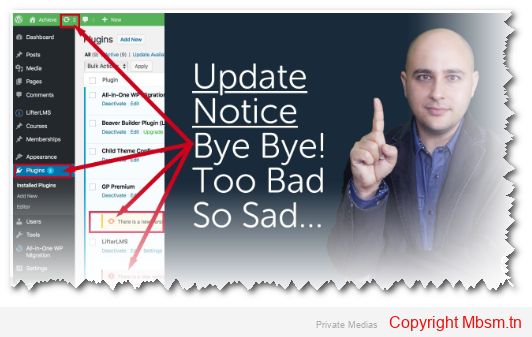
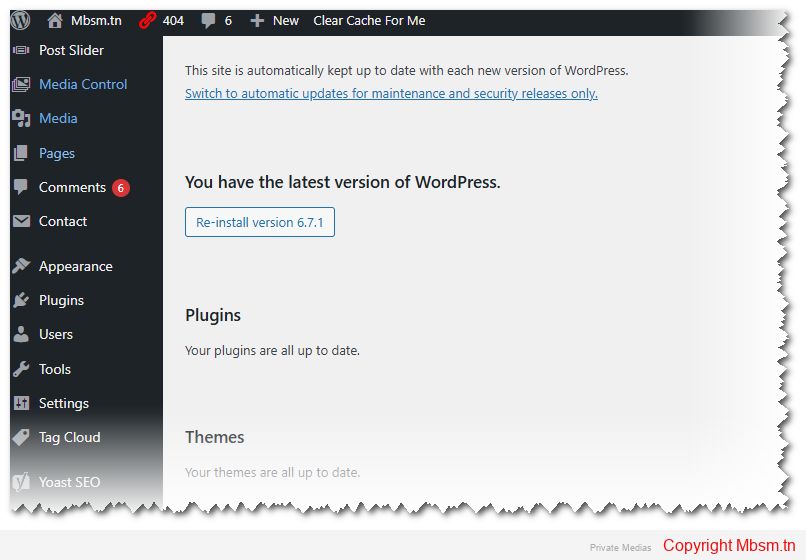
The code we’re discussing today is a WordPress plugin designed to hide all theme update-related notices in the WordPress admin dashboard. This plugin is useful for those who want to manage updates manually or prevent annoying notifications from appearing in the dashboard. The code was developed based on an idea by Mbsmgroup and programmed by Deepseek.
How the Code Works
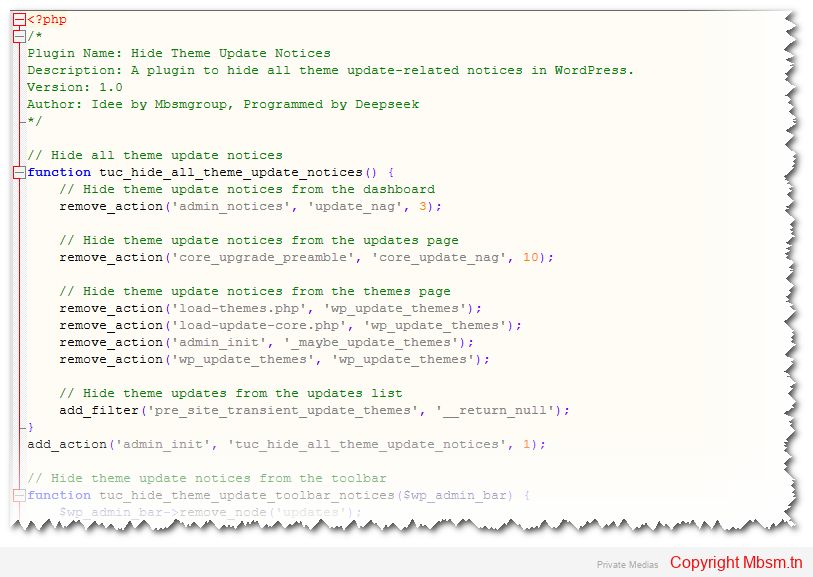
The code works by removing notifications and actions that display theme updates in WordPress. Here’s a detailed breakdown of how the code functions:
- Hiding Update Notices from the Dashboard:
- The
remove_actionfunction is used to remove notifications that appear on the dashboard, such asupdate_nag.
- The
- Hiding Update Notices from the Updates Page:
- Notifications that appear on the updates page are removed using
remove_actionwithcore_upgrade_preamble.
- Notifications that appear on the updates page are removed using
- Hiding Update Notices from the Themes Page:
- Filters and actions that check for theme updates on the themes page are disabled using
remove_action.
- Filters and actions that check for theme updates on the themes page are disabled using
- Hiding Theme Updates from the Updates List:
- The
add_filterfunction is used withpre_site_transient_update_themesto returnnull, effectively hiding theme updates from the updates list.
- The
- Hiding Update Notices from the Toolbar:
- The “Updates” node is removed from the WordPress toolbar using the
remove_nodefunction.
- The “Updates” node is removed from the WordPress toolbar using the
Code Safety and Reliability
The code is designed to be safe and reliable for use in WordPress environments. Here’s why:
- No Direct Database Modifications:
- The code does not directly modify the WordPress database. Instead, it uses WordPress hooks and filters to achieve its functionality.
- Use of WordPress Core Functions:
- The code relies on built-in WordPress functions like
remove_action,add_filter, andremove_node, ensuring compatibility with WordPress standards.
- The code relies on built-in WordPress functions like
- No Security Risks:
- The code does not introduce any security vulnerabilities, as it only hides notifications and does not alter critical WordPress functionalities.
- Lightweight and Efficient:
- The code is lightweight and does not add significant overhead to the WordPress admin, ensuring smooth performance.
Installation Instructions
To install and use this plugin, follow these steps:
- Create the Plugin File:
- Create a new folder in the
wp-content/pluginsdirectory, for example,hide-theme-update-notices. - Inside this folder, create a file named
hide-theme-update-notices.php.
- Create a new folder in the
- Add the Code:
- Copy the full code provided below into the
hide-theme-update-notices.phpfile.
- Copy the full code provided below into the
- Activate the Plugin:
- Go to the WordPress admin dashboard.
- Navigate to Plugins and activate the Hide Theme Update Notices plugin.
Developer and Development Process
The plugin was developed by Deepseek based on an idea by Mbsmgroup. The development process involved:
- Understanding the Requirements:
- The goal was to hide all theme update-related notices in WordPress without affecting other functionalities.
- Researching WordPress Hooks and Filters:
- The developer identified the relevant hooks and filters used by WordPress to display update notices.
- Writing and Testing the Code:
- The code was written and tested in a local WordPress environment to ensure it worked as expected.
- Optimizing for Performance:
- The code was optimized to be lightweight and efficient, ensuring it does not slow down the WordPress admin.
Contact Information
For any inquiries or support, you can contact Mbsmgroup via email at mbsmgroup@gmail.com.
Plugin Link
The plugin is currently under development, and its official page will be available soon. For now, you can use the placeholder link: Plugin Link.
Conclusion
The Hide Theme Update Notices plugin is a simple yet powerful tool for WordPress administrators who want to manage theme updates manually. It is safe, reliable, and easy to install. With potential improvements, it could become even more versatile and user-friendly.
If you have any questions or need further assistance, feel free to ask! 😊
Mbsm.tn, Secure, File Upload System, Development, Safety, SEO Best Practices, By Mbsmgroup
Category: Machine Learning
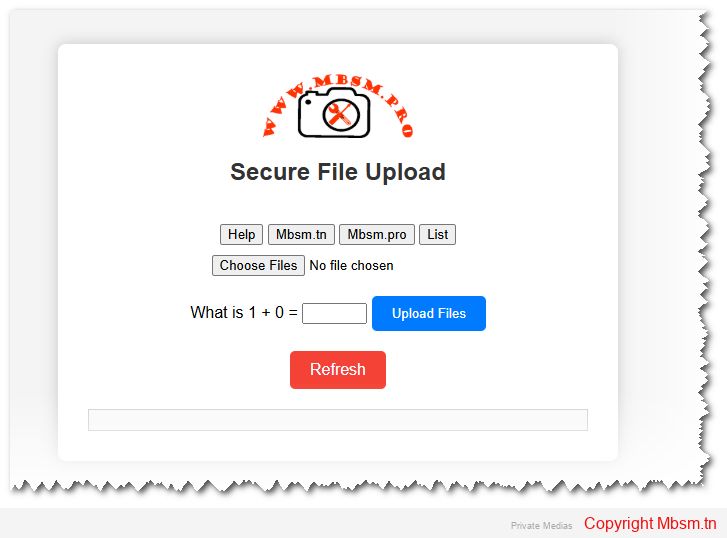
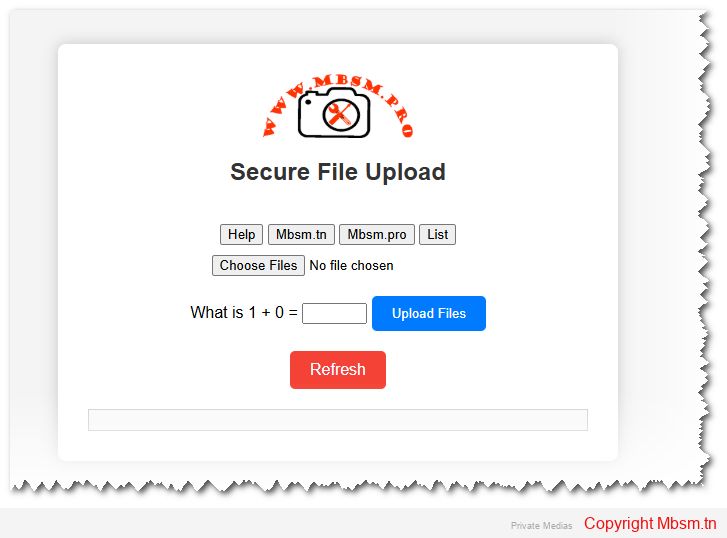
Hallo You can Test From This Link (1+0=1977)
Introduction
The ability to securely upload files is a critical feature for many web applications. Whether it’s a corporate portal, a CMS, or a user-driven platform, file uploads need to be handled with care to prevent security vulnerabilities, ensure reliable performance, and offer a smooth user experience. This article explores the development, safety considerations, installation process, and the importance of SEO for your secure file upload system.
1. Development: Building a Secure File Upload System
Building a robust and secure file upload system involves multiple steps, including defining the system’s capabilities, file restrictions, and processing logic. Here’s an overview of how to develop an effective system:
Core Capabilities:
- Multiple File Uploads: The system allows users to upload multiple files at once using the
multipleattribute in HTML forms. This enhances user experience by making it easier to upload several documents or images simultaneously. - File Size Limit: The system restricts file size to a configurable maximum, preventing the server from becoming overwhelmed with large uploads. In this case, the limit is set at 10MB per file, ensuring a balance between flexibility and resource management.
- File Type Validation: Only specific file types (JPG, PNG, PDF, and ZIP) are allowed. This validation ensures that malicious files like executable scripts (e.g.,
.exeor.php) are not uploaded and executed, protecting the server from potential attacks. - Duplicate File Handling: The system automatically renames files if a file with the same name already exists. This guarantees that no file is accidentally overwritten and ensures that each uploaded file retains its uniqueness.
- Detailed Error and Success Messages: The system provides user feedback on successful uploads, file size, type, and name issues, ensuring a clear understanding of any problems or successes.
2. Safety: Ensuring Security in File Uploads
File uploads are one of the most vulnerable parts of a web application and can expose the server to malicious attacks. Here’s how the system ensures security:
File Type Whitelisting:
By allowing only specific MIME types (JPEG, PNG, PDF, and ZIP), the system ensures that harmful file types like executable scripts or malicious files aren’t uploaded to the server. Each file’s MIME type is checked using PHP’s finfo_file() function, which offers a more reliable check than simply checking file extensions.
File Name Sanitization:
Uploaded file names are sanitized by replacing invalid characters with hyphens, and multiple hyphens are reduced to a single one. This prevents attackers from injecting harmful code through file names. It’s crucial to handle file names correctly to avoid security vulnerabilities like cross-site scripting (XSS).
File Size Limitations:
Limiting the file size to a maximum of 10MB ensures that the server is not overloaded with large files that could consume excessive resources. Large file uploads can slow down a server and make it vulnerable to denial-of-service (DoS) attacks.
Captcha Verification:
A simple math captcha is implemented to prevent automated bots from abusing the upload system. While basic, it ensures that file uploads are handled by real users and not spam bots. However, for more comprehensive protection, integrating Google reCAPTCHA is recommended.
HTTPS:
Ensure that file uploads happen over a secure HTTPS connection. This protects the data being transmitted between the client and the server, preventing man-in-the-middle (MITM) attacks.
3. Installation: Setting Up the File Upload System
The installation process is straightforward, and the system can be deployed on any server with PHP support. Here’s a quick guide:
Step-by-Step Installation:
- Web Server Setup: Install a web server like XAMPP (for Windows) or MAMP (for macOS). These bundles provide Apache, PHP, and MySQL support, making it easy to host your project locally.
- Project Folder: Place the project files in the server’s document root. For XAMPP, this is typically
C:/xampp/htdocs/, and for MAMP, it is/Applications/MAMP/htdocs/. - Create Uploads Directory: Ensure there’s an
uploadsfolder in your project directory where the files will be stored. Make sure this folder has the correct write permissions (chmod 755). - Run the Server: Start Apache from the XAMPP/MAMP control panel and open the project in the browser by navigating to
http://localhost/your-project-folder/. - File Upload Testing: Upload some test files and check the
uploadsdirectory to ensure the files are being properly uploaded and stored.
4. SEO and Sitemap: Ensuring Discoverability
In addition to secure file handling, it’s crucial to ensure that your website and its features, like file uploads, are optimized for search engines. Proper SEO practices will improve your visibility and drive traffic to your website.
SEO Considerations:
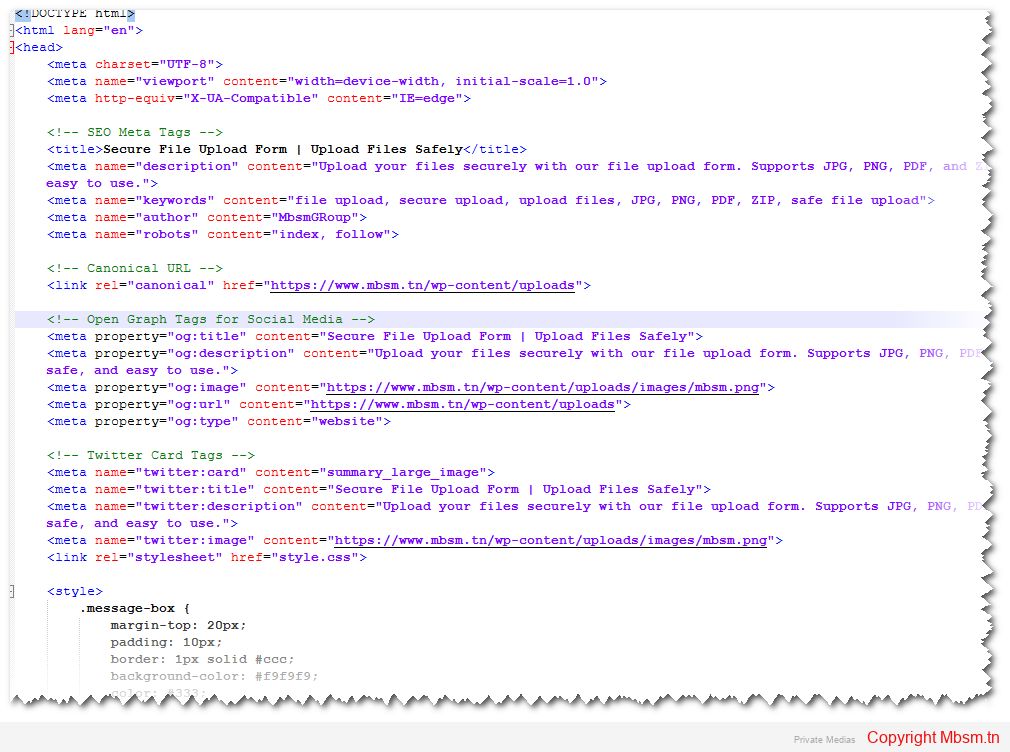
- Descriptive Meta Tags: The HTML includes meta tags like
description,keywords, andauthorto help search engines understand the content of your page. These should be tailored to your site’s purpose and reflect the key features of the file upload system. - Canonical Links: The
canonicaltag is used to avoid duplicate content issues, ensuring that the correct version of the page is indexed by search engines. - Keyword Optimization: Keywords related to your service, such as “file upload,” “secure upload,” and “safe file transfer,” should be strategically used in the content and meta tags to enhance search visibility.
- Sitemap: A sitemap is an essential part of SEO as it helps search engines navigate your website. Ensure that you generate a
sitemap.xmlfile and submit it to Google Search Console to help search engines index your site faster.
5. MBSM Group: Expert Support and Development
If you’re looking for professional assistance in developing secure file upload systems, MBSM Group offers expert development services. With years of experience in creating secure, reliable, and scalable web applications, we are committed to providing you with solutions that not only meet your needs but also ensure the highest level of safety and performance.
Contact us at mbsmgroup@gmail.com to get started with your next project. Whether you’re building a new platform or need to enhance an existing one, we’re here to help you succeed.
Conclusion
Developing a secure file upload system is critical for ensuring both performance and security. By implementing file validation, size restrictions, and user-friendly error messages, you can provide a smooth and safe user experience. The installation is straightforward and can be done on any server supporting PHP. Finally, optimizing your website for SEO and including a sitemap will improve your search visibility, bringing more users to your service.
For any questions or help in setting up your secure file upload system, don’t hesitate to reach out to MBSM Group at mbsmgroup@gmail.com.